



Image SEO: How to Optimize Visuals for Traffic
Images shape how users find and experience your site. Image SEO aligns visuals with search best practices so pages load fast, rank well, and remain accessible. When you optimize images for SEO, you help search engines understand what each image shows, reduce page weight, and support assistive technologies.
This guide breaks the work into clear steps for marketers and developers. You’ll learn format choices, filenames, alt text, compression, responsive delivery, and discovery tactics that support image optimization for traffic. Follow the checklist and your pages will look sharp, feel fast, and send stronger signals to Google Images and Search.
Why Image SEO Matters in 2025
Google Images remains a major discovery channel. Analyses of clickstream data have long estimated that image search captures a meaningful share of queries (at ~20% in the Google ecosystem); an important reminder that image visibility can drive site visits and sales.
Well-optimized images also improve organic performance because they reduce bloat and support page experience metrics. Google’s Core Web Vitals include responsiveness (INP), loading (LCP), and visual stability (CLS); heavy or unstable media can hurt those scores and user satisfaction.
Accessibility matters, too. Meaningful alt text helps people using screen readers and gives search systems extra context. Google’s own image SEO best practices recommend helpful, information-rich alt text and discourage stuffing.
In short, image optimization for traffic is about performance, context, and access. Done right, it increases discoverability in both Images and web results while improving UX.
1. Choosing the Right File Formats
Pick formats that balance quality and size:
- JPEG: photos with complex color gradients.
- PNG: transparency or crisp UI elements (but usually larger).
- SVG: logos and icons; resolution-independent.
- WebP & AVIF: modern formats with superior compressionthat often deliver smaller files than JPEG/PNG at similar visual quality. WebP has very broad browser support; AVIF can compress even smaller but may decode slower and has slightly narrower support.
Google’s performance docs and Lighthouse guidance recommend serving WebP/AVIF when possible to reduce transfer size and improve LCP. Keep fallbacks if your audience includes older browsers.
Practical rule:
- Photos → WebP/AVIF(fallback JPEG if needed)
- Graphics with transparency → WebP/PNG
- Icons/logos/illustrations → SVG
This baseline reduces weight without sacrificing clarity.
2. Descriptive File Names for Better SEO
Filenames provide ranking context. Google looks at surrounding signals to understand images; clear, descriptive filenames help that understanding. Replace “IMG_123.jpg” with a short, hyphenated phrase that matches the image subject, like blue-running-shoes.jpg. Avoid overlong names and stuffing.
Google’s image best practices page emphasizes meaningful context (including file names and alt text) rather than keyword lists. Use natural descriptors that match on-page content and user intent. Example: organic-coffee-beans.jpg conveys far more than photo1.jpg.
Aim for consistency: filename, image alt, nearby captions, and the page topic should align. That consistency supports relevance signals and helps your images appear for the right queries in Google Images.
3. Writing Effective Alt Text & Captions
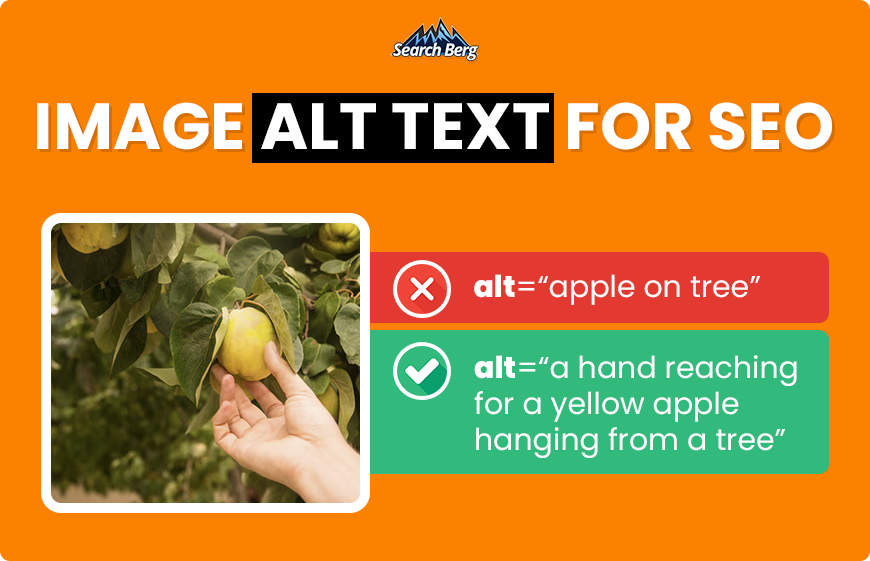
Alt text serves two jobs: it aids accessibility and provides context for search. Google recommends useful, information-rich alt text written in natural language, and warns against stuffing. Keep it concise and descriptive.
Helpful guidelines from usability research:
- Decide if the image is informative, functional, or decorative. Skip alt text for decorative images; describe actions for functional images; describe the content for informative images.
- Don’t repeat nearby captions or headings in the alt text; add valuewith what the image actually shows.
Good alt: “Golden retriever puppy playing in a park.”
Weak alt: “dog” or “image123”.
Captions can lift engagement and comprehension when they add context near the image. UX research shows users pay attention to relevant visuals placed by related copy; captions help users scan and understand content faster.
Use alt text to optimize images for SEO, but write for people first. Include a key term only if it naturally describes the image. The goal is clarity that improves both inclusion and discovery.
4. Image Size, Compression, and Page Speed
Oversized images slow pages and frustrate users. Compress and resize before upload:
- Compression tools: TinyPNG, Squoosh, ShortPixel.
- Right-sizing: Don’t ship a 3000px image for a 500px slot. Match display dimensions and DPR where possible.
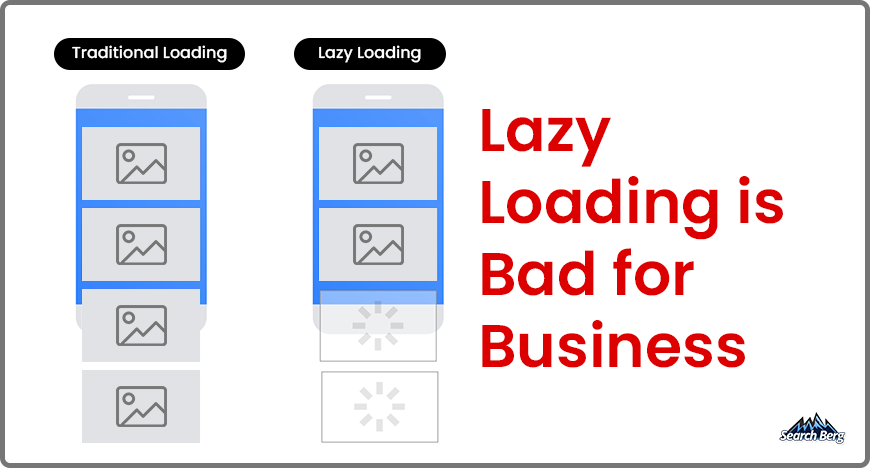
- Lazy loading: Use native loading=”lazy”to delay offscreen images and speed first paint; most modern browsers support it. If you lazy-load, follow Google’s guidance so content remains crawlable.
Why this matters: industry research ties slow pages to worse outcomes. Google and SOASTA reported large bounce increases as mobile load time rises; many studies cite significant conversion loss from delays. The direction is clear: faster pages tend to perform better.
Keep an eye on Core Web Vitals (INP, LCP, CLS). Optimized images reduce transfer size and help stabilize layouts, improving these metrics and user satisfaction.
5. Responsive Images and Mobile SEO
Most visits happen on phones, so serve images that fit the screen:
- Use the HTML attributes srcsetand sizes to deliver responsive Different devices receive different resolutions. This cuts bytes and improves speed.
- Maintain consistent aspect ratiosor reserve space via width/height or CSS to reduce CLS jumps as images load.
- Pair responsive delivery with modern formats (WebP/AVIF) to maximize savings.
Mobile-first indexing means Google primarily evaluates your mobile content. Keep parity in copy, structured data, and alt text between mobile and desktop versions. Google’s mobile-first documentation also calls out stable URLs and consistent attributes for images across versions.
A lighter, responsive image stack improves UX and helps pages meet Web Vitals thresholds, which supports overall visibility.
6. Structured Data and Image Sitemaps
Structured data helps Google understand page meaning and can enable rich results in Search and even Google Images/Lens for eligible types (for example, Product). Follow Google’s gallery and policies, ensure image URLs in markup are crawlable, and validate with the Rich Results Test.
For discovery, add images to your XML sitemap (either a combined sitemap with image extensions or a separate image sitemap). Google’s documentation explains how image sitemaps help find images that might otherwise be missed.
Use this combination on large or media-heavy sites: structured data for context and sitemaps for coverage. Together, they improve how fast new visuals get crawled and how completely your library gets indexed.
Common Mistakes to Avoid in Image SEO
- Uploading stock photos without compression or context.
- Skipping alt textor using keyword lists instead of descriptions.
- Serving massive files or the wrong formatfor the job (e.g., PNG photos).
- Ignoring responsive deliveryand layout stability, which can cause CLS issues.
- Lazy loadingimplemented in a way that hides content from Google (test with Search Console/URL Inspection).
Fixing these issues yields quick wins: smaller pages, clearer context, and better eligibility for image and rich results.
Quick Image SEO Checklist
- Serve WebP/AVIFwhere possible; fall back as needed.
- Rename files with concise, descriptivekeywords (hyphenated).
- Write useful alt text; skip stuffing.
- Resizeto display dimensions; compress before upload.
- Add captionswhen they clarify the image’s purpose.
- Implement native lazy loadingand test for crawlability.
- Use srcset/sizesfor responsive images and protect CLS.
- Include images in your XML sitemap.
- Add structured data(for eligible content types) and validate.
Keep this list next to your CMS. Consistency across uploads is where the traffic gains add up.
Contact Us for a Professional Image SEO Audit
Great visuals deserve to be found. If your pages feel heavy, lack context, or underperform in Google Images, an expert review can make a measurable difference. We examine formats, filenames, alt text, lazy loading, responsive delivery, structured data, and sitemaps,then give you a prioritized plan.
Contact Search Berg for a professional image SEO audit and strategies that ensure your images attract clicks instead of causing slowdowns. We’ll help you lock in performance gains and stronger visibility across search.
FAQs on Image SEO
1. Does image SEO really improve rankings?
Optimized images reduce page weight, improve page experience metrics, and increase eligibility in Google Images. Google’s guidelines encourage helpful alt text and modern formats for better performance, all of which support visibility and engagement.
2. How long should alt text be?
Aim for concise descriptions (often under ~125 characters), enough to convey meaning without fluff. Accessibility teams and UX research recommend brevity and relevance.
3. Should I use WebP or AVIF?
Use both where possible. AVIF often delivers smaller files; WebP enjoys broader support and faster decoding. Provide fallbacks and tests.
4. Do captions help SEO?
Indirectly. Captions can increase comprehension and engagement, which supports user signals. Prioritize helpful, relevant captions near images.
5. Do all images need to be in sitemaps?
Not mandatory, but recommended for large or JS-heavy sites to help Google discover more visuals faster. Google provides explicit image sitemap guidance.
Subscribe for More Insights
Explore more news, knowledge, and insights related to Google Business Profile and its uses.
No spam, just expert advice!