

With our GMB expertise, you'll have the edge to rank above your competition on Google Maps, local search, and AI search results.
GMB Profiles Set Up
Profiles Optimized
Keywords Ranked
of Satisfied Clients
At SearchBerg, we believe that a successful local listing isn't built on guesswork or generic tactics. It requires a meticulous blend of data-driven insights, strategic finesse, and a commitment to staying ahead of the curve.
We don't just want your business to show up in local search results; we want it to dominate. Our Google Business Profile optimization services are engineered to help us check this box off the list.
LET'S TAKE A CLOSER LOOK AT HOW WE TRANSFORM YOUR LISTING INTO A LEAD-GENERATING MACHINE
We don't believe in one-size-fits-all solutions. We start with a meticulous audit of your existing Google Business Profile. Our experts identify strengths, weaknesses, and untapped opportunities.
We work beyond generic terms. Our GMB specialists dive deep into your local market. We reveal the broad and hyper-specific phrases your potential customers are using to find businesses like yours.
We craft a profile that's informative and engaging. From your business description to the Google Posts, every piece of content is optimized to resonate with your target audience and showcase your unique value proposition.
We know that reviews are the lifeblood of local businesses. Our GMB specialists proactively monitor and respond to reviews to foster a positive online reputation and build trust with potential customers.
Google's algorithms are constantly changing… even now. Our business optimization professionals continuously monitor your performance and make data-driven adjustments to ensure your listing remains at the top of its game.
Increased visibility, more qualified leads, and a thriving online presence that drives real-world results.
LET'S TALK STRATEGY.
As part of our Google Business Profile optimization services, we deconstruct your GMB profile and redo everything to get into both Google's and your target audience's good books. How?
Let's show you.
Our GMB specialists ensure every detail is accurate, up-to-date, and consistent across the web. This includes your NAP (Name, Address, Phone Number), website URL, business hours, and categories. Consistency is key for both Google's algorithms and building trust with potential customers.
For businesses with multiple locations or service areas, we ensure each is accurately represented and optimized for local searches. This helps customers find the most convenient location or service area for their needs.
Our business optimization professionals craft a concise and engaging description that highlights your unique value proposition and incorporates relevant keywords to boost your visibility across search results. We strike the perfect balance between informative and engaging.
Our GMB specialists proactively monitor and respond to reviews, both positive and negative. We help you cultivate a positive online reputation by encouraging satisfied customers to leave reviews and addressing any concerns professionally and promptly.
We curate a visually appealing gallery that showcases your products, services, and team. High-quality images and videos create a lasting impression and give potential customers a glimpse into your business's personality.
We keep your profile fresh and engaging by regularly posting updates, offers, and news. This informs customers and signals to Google that your business is active and relevant.
We showcase your offerings in an organized and compelling manner, highlighting key features and benefits. This helps customers understand what you offer and encourages them to take the next step (whether it's making a purchase or scheduling an appointment).
We strategically select attributes and highlights that showcase your business's unique features and amenities. This helps you stand out from the competition and attract customers who are looking for specific services or offerings.
This level of fine-tuning helps us achieve our goal of pulling your local business to the top Google SERPs and helping your target audience find you without so much as a sigh.
Your Google Business Listing is often the first thing potential customers see when they search for your business online. Our services help you get found and make a great first impression while at it.
“Web users are 70% more likely to visit a business with a complete Google Business Profile”
-Google“Web users are 50% more likely to consider buying from a business with a complete Google Business Profile”
-Google“88% of web users who run a local search on their smartphone end up paying the store a visit within a week”
-Think With Google“Approximately 1/3 of searches conducted on mobile devices are related to location”
-Think With Google“4/5 online users want search ads to be tailored to their city”
-Think With Google“42% of American online users believe that Google reviews increase their likelihood of purchasing a product”
-Think With GoogleOur packages take into account the size of your business and budget. The aim is to provide the maximum value for money to all customers.
GMB optimization services are quintessential parts of any SEO strategy.
It’s the first thing potential customers look at when they Google your services or business, and the more comprehensive your online presence and profile are, the easier it is for them to reach out to you and choose your business.
Through Google Business Profile optimization, you can:
Get a personalized consultation for recommendations for Google Business Profile services, and our team will design a comprehensive strategy that helps you strengthen your profile, rankings, and interactions. From encouraging and posting reviews to optimizing your profile for multi-device use, there are several GMB optimization services you can benefit from.
Ready to harness the power and benefits of GMB services? Work with SearchBerg!
We have a wide range of solutions and services that you can find on this page, from GMB optimization to recovery. But we also work with each client individually to design a strategy tailored to their needs.
We’ll generate unique posts and content, use images and visuals, and double down on the minutest details to ensure that your GMB posts are comprehensive, up to date with the latest information, and lead to more conversions.
If you want to push a particular service, we'll align our posts to that. If you're interested in promoting local events and special offers, we can target those too. Every aspect of your GMB SEO will be customized fully.
Take advantage of SearchBerg's comprehensive Google My Business management services for your company and make an impact on your online presence. Our business optimization professionals will work with you to understand your business and goals and create a multi-faceted strategy that is impactful and drives traffic and conversions.
Get in touch and our GMB specialists will create a tailored package to give you the most for your budget!
Whether you're looking for GMB Profile Listing and Set up or GMB Optimization, we have the expertise and experience to deliver exceptional results.
Creating a Google My Business (GMB) profile is the first step in getting your business found on Google Maps. But setting up your profile correctly can be a time-consuming and confusing process. Our experts will help you claim, verify and set up your profile. We'll help you navigate the process and avoid common mistakes that can hurt your online visibility.
Sign Up Today!One-Time Optimization service is designed to give your Google My Business (GMB) listing a powerful boost in visibility and performance. The service includes a comprehensive GMB audit, listing optimization (business information, NAP, categories and business description), keyword optimization, local citations and image/video optimizations.
Sign Up Today!A suspended or removed GMB profile can have a significant impact on your online visibility and customer trust. Our GMB profile recovery service includes a thorough review of your profile to identify the issues that led to the suspension or removal. We'll work with you to address any violations or discrepancies and provide guidance on how to maintain compliance with GMB guidelines moving forward.
Sign Up Today!Your industry isn't just what you do; it's who you are. And in the local search game, speaking the language of your specific industry is essential.
At SearchBerg, we're a team of experienced industry insiders. We know the ins and outs of your industry, the keywords your customers use, and the strategies that will set you apart from the competition.
Whether you're a healthcare provider, a legal professional, a home services expert, a real estate agent, or a retailer, we have the expertise to tailor your GMB profile to your unique needs. Our job is to ensure your business shines brightly in the eyes of the customers who matter most to you.
Let's explore how we can help your industry thrive in local search.
In the healthcare sector, trust and credibility are paramount. We craft a comprehensive online profile that showcases your expertise, qualifications, patient reviews, and unique approach to care. By highlighting what sets your practice apart, we make it easier for patients to find you.
A bright smile starts with a strong online presence. Our GMB services for dentists are designed to attract new patients and keep existing ones engaged. We optimize your listing with relevant keywords, accurate information about your services and location, and eye-catching visuals.
Your fence company's craftsmanship speaks volumes, but it's your online presence that ultimately helps potential customers discover your work. We focus on showcasing your expertise through high-quality images of your projects, detailed service descriptions, and targeted keywords.
Your GMB profile is your online business card, and it needs to make a lasting impression. We focus on creating a robust online presence that highlights your skills, experience, and the specific types of projects you excel at.
When legal needs arise, clients are seeking experienced and trustworthy attorneys who specialize in their specific area of law. We highlight your areas of expertise, location, and client testimonials. Our goal is to present you as a credible, reputable figure in your industry and turn potential clients into success stories.
The real estate market is a fast-paced arena where first impressions matter. Your Google Business Profile is often the first point of contact for potential buyers and sellers. We ensure your profile is polished, informative, and engaging. By showcasing your listings, expertise, and client testimonials, we help you build trust and credibility.
For retailers, attracting foot traffic and online orders is essential. We optimize your GMB listing to highlight your products, promotions, and in-store events, making it easier for customers to find your store, explore your products, and stay informed about promotions and events.
I have the pleasure of working with Rebecca, who is an exceptional manager of my Google My Business listing. From the very beginning, Rebecca demonstrated professionalism, responsiveness, and a deep understanding of how to optimize my online presence… I highly recommend Rebecca to anyone who is seeking a knowledgeable and proficient manager for their Google My Business listing.
I have been working with the Search Berg Team for the last 2 years and everything is going on very well. They are doing excellent work regarding website visibility, more traffic and more sales, special thanks to Andrew for taking all the actions on time to get the best results. I would recommend this company to whoever is interested in SEO for their professionalism.
We hired SearchBerg to handle our SEO, website design and website maintenance over 6 months ago. Daniel Levi and Leon have been excellent. They are very easy to get in touch with, which is very important and they produce excellent content, which is hard to do. We have been very impressed with SearchBerg to the point where we have renewed with them and bumped up to a higher package, as well as hiring them for an additional service. If you are on the fence about hiring them, give it a shot, they are worth the cost.
I don't think I have ever given as high a score as I have here for Search berg. They were very professional and performed the work in the contract perfectly. My ranks consistently rose through the process and I would recommend them to anyone trying to get a higher presence in the organic search world.

A well-optimized Google Business Profile can help your business appear in relevant local searches, provide potential customers with accurate information, and turn online discovery into calls, website visits, appointment requests, and in-person visits. However, simply creating a profile is not enough to build a strong local presence.
Google Business Profile optimization involves more than filling out your business details. It requires selecting appropriate business categories, accurately describing your services, maintaining consistent business information, managing customer reviews, adding relevant photos, and strengthening your website's local relevance.
In 2026, businesses must also pay attention to profile eligibility, Google's content policies, and the quality of information available across their online presence.
Whether you are setting up a profile for the first time or trying to improve the performance of an established listing, this guide explains how to optimize your Google Business Profile step by step. You'll learn what to update, how to identify common problems, and how to measure whether your optimization efforts are helping your business attract more qualified local customers.
New to Google Business Profile? You are in the right place. This guide starts with the basics of what a Business Profile is and what it can do for you, walks you through setting one up from scratch in simple baby steps, and then shows you how to optimize it. Each step includes links to Google's official Help pages so you can confirm the latest instructions.
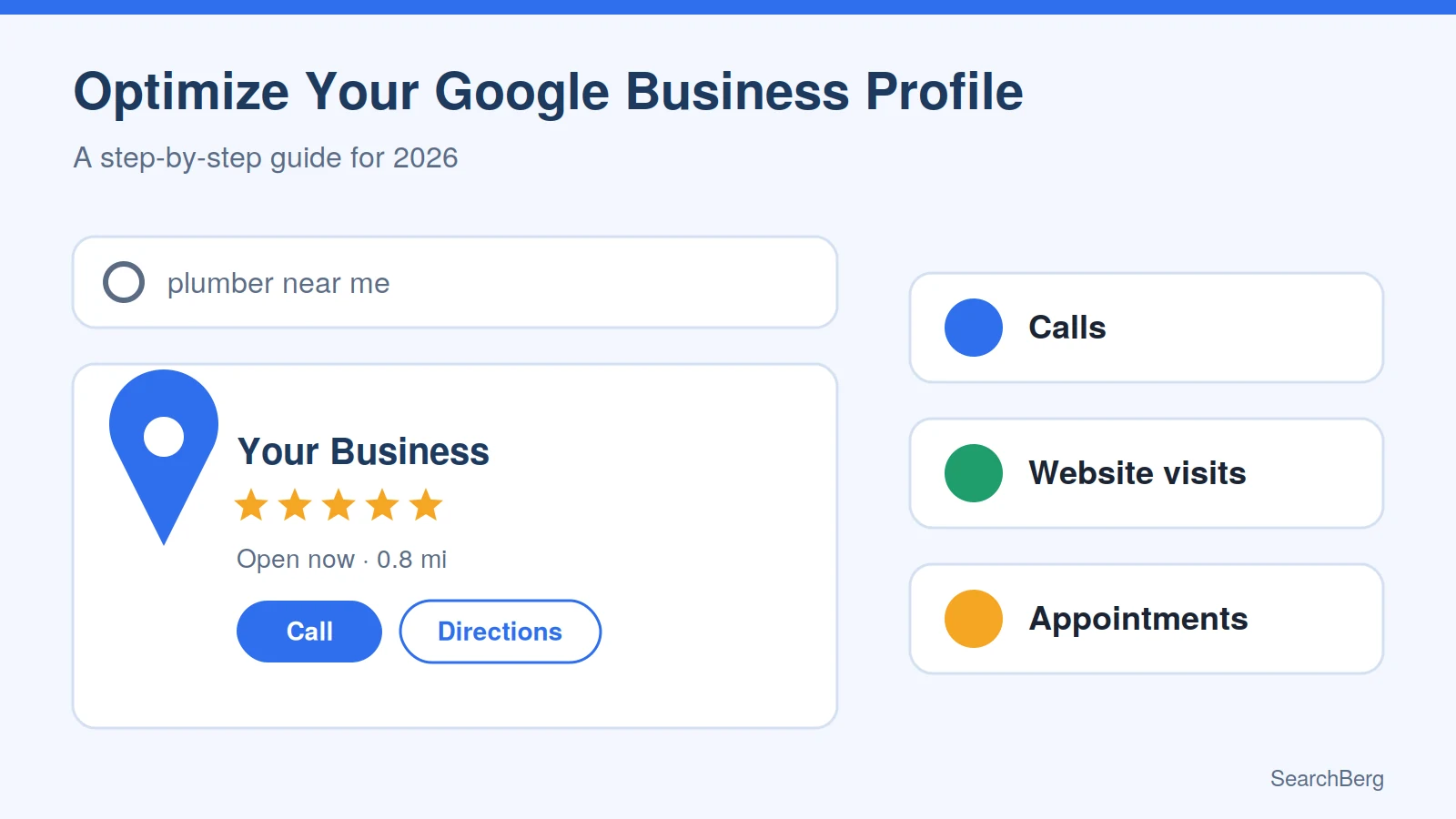
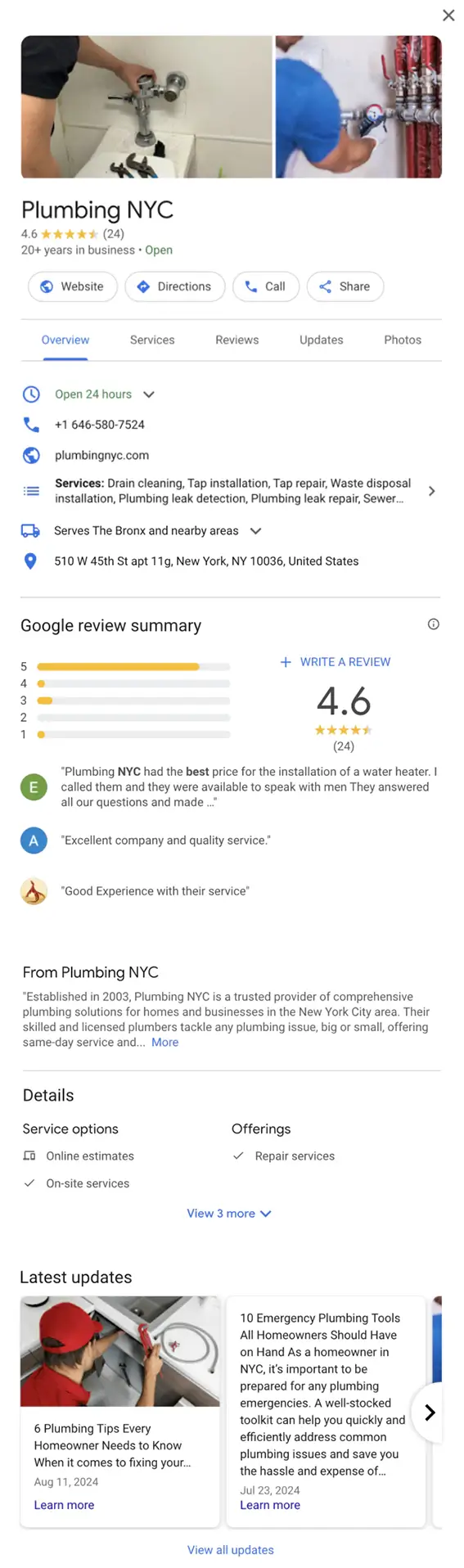
A Google Business Profile (GBP) is a free listing that lets a business control how it appears on Google Search and Google Maps. When someone searches for something like "bakery near me" or looks up a business by name, the information card they see, with the business name, opening hours, phone number, website, photos, and reviews, is powered by a Business Profile.
It was previously called Google My Business (GMB). If you come across older articles or tools that use that name, they are talking about the same thing.
If you have never heard of it, think of it as your business's front door on Google.
Customers often see your profile before they ever visit your website, so it shapes their first impression.
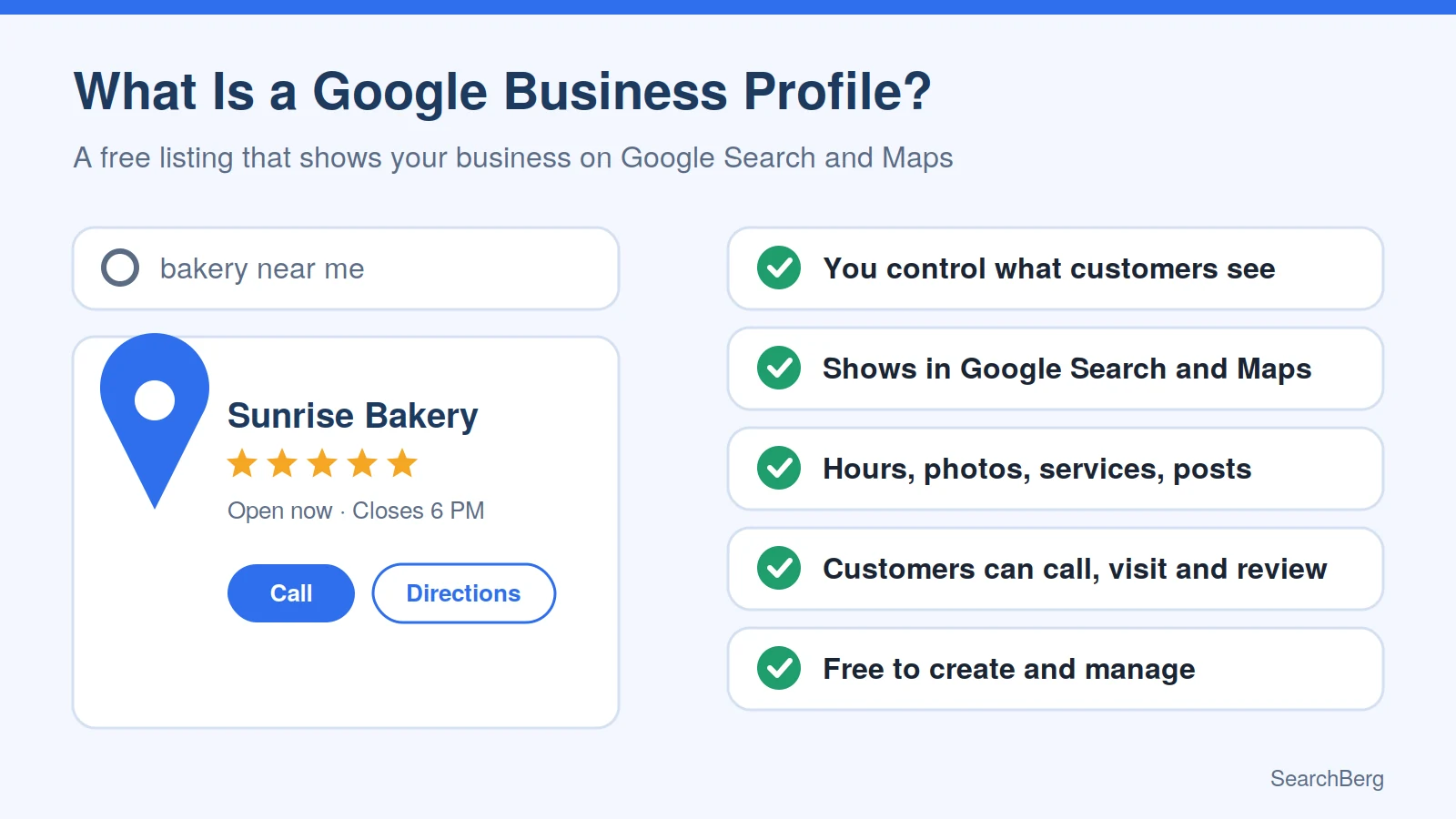
Google states that managing a Business Profile is free. For Google's own overview, read: Business Profile overview: what it is and what you can do.
According to Google's guidelines, a business can have a profile if it has a physical location that customers can visit, or if it travels to customers where they are, such as a plumber, cleaner, or mobile mechanic. Only business owners or authorized representatives can verify and manage a profile.
Read Google's rules before you start: Business eligibility and ownership guidelines and Guidelines for representing your business on Google.
These work together rather than compete. Google Search and Google Maps are where customers look. Your Google Business Profile is the information you provide that appears there. Your website is separate, but a good profile links to it. You need a Google Account to sign up for a profile.
Proving to Google that you are the real owner or an authorized representative of the business. Customers can only find your profile on Google after you complete it.
The single category that best describes your main business activity, such as "Plumber" or "Bakery".
A business whose customers visit its address.
A business that visits or delivers to customers directly and does not serve them at its business address.
A business that serves customers at its address and also travels to customers elsewhere.
Ratings and comments that customers leave on your profile.
Short updates, offers, or events you publish on your profile.
Google's data on how people find and interact with your profile.
No profile yet? Follow these eight baby steps in order. The setup itself takes around 15 to 20 minutes, plus the time Google needs to review your verification.
If you already have a verified profile, you can skip ahead to "What Is Google Business Profile Optimization?"
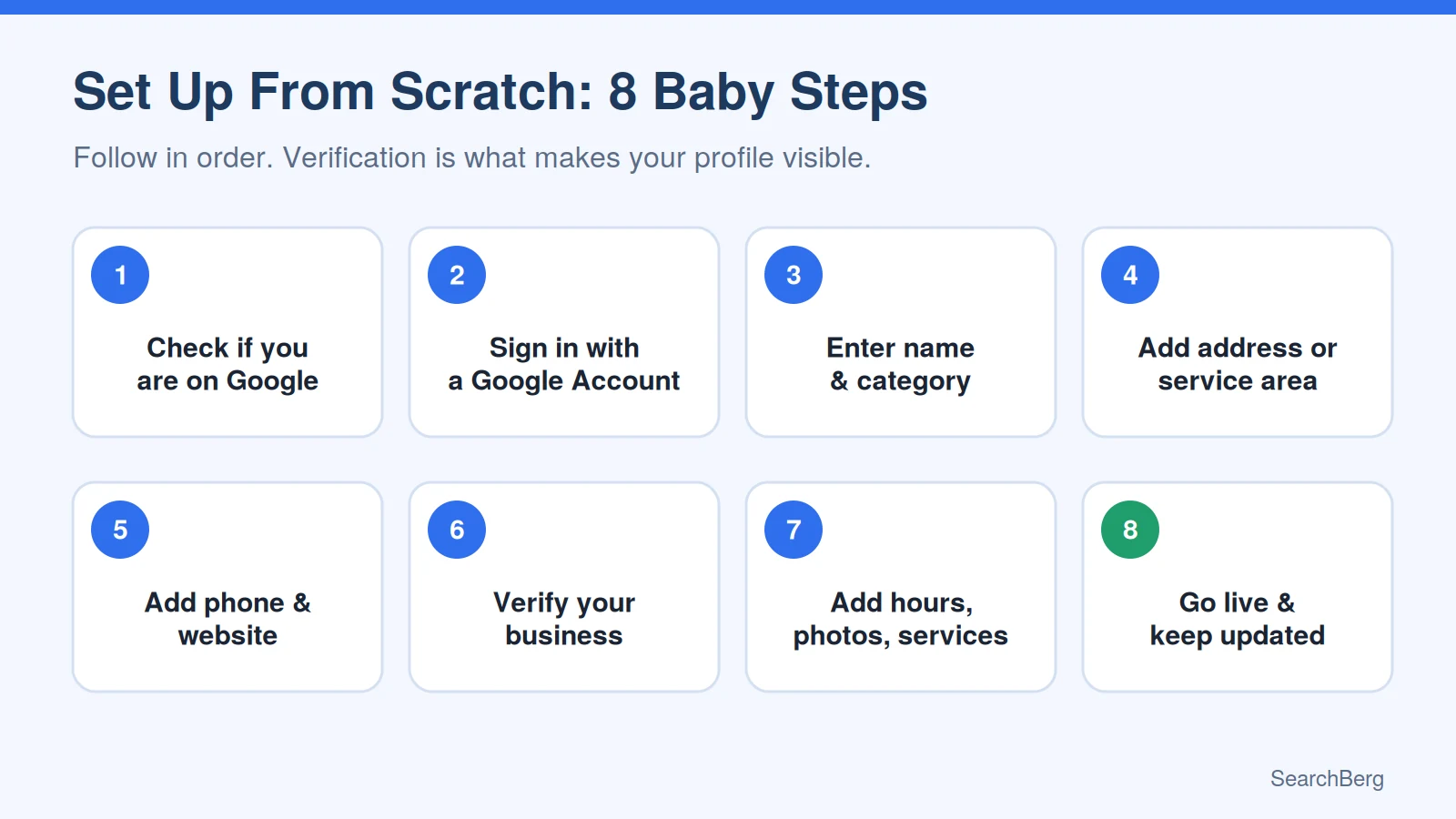
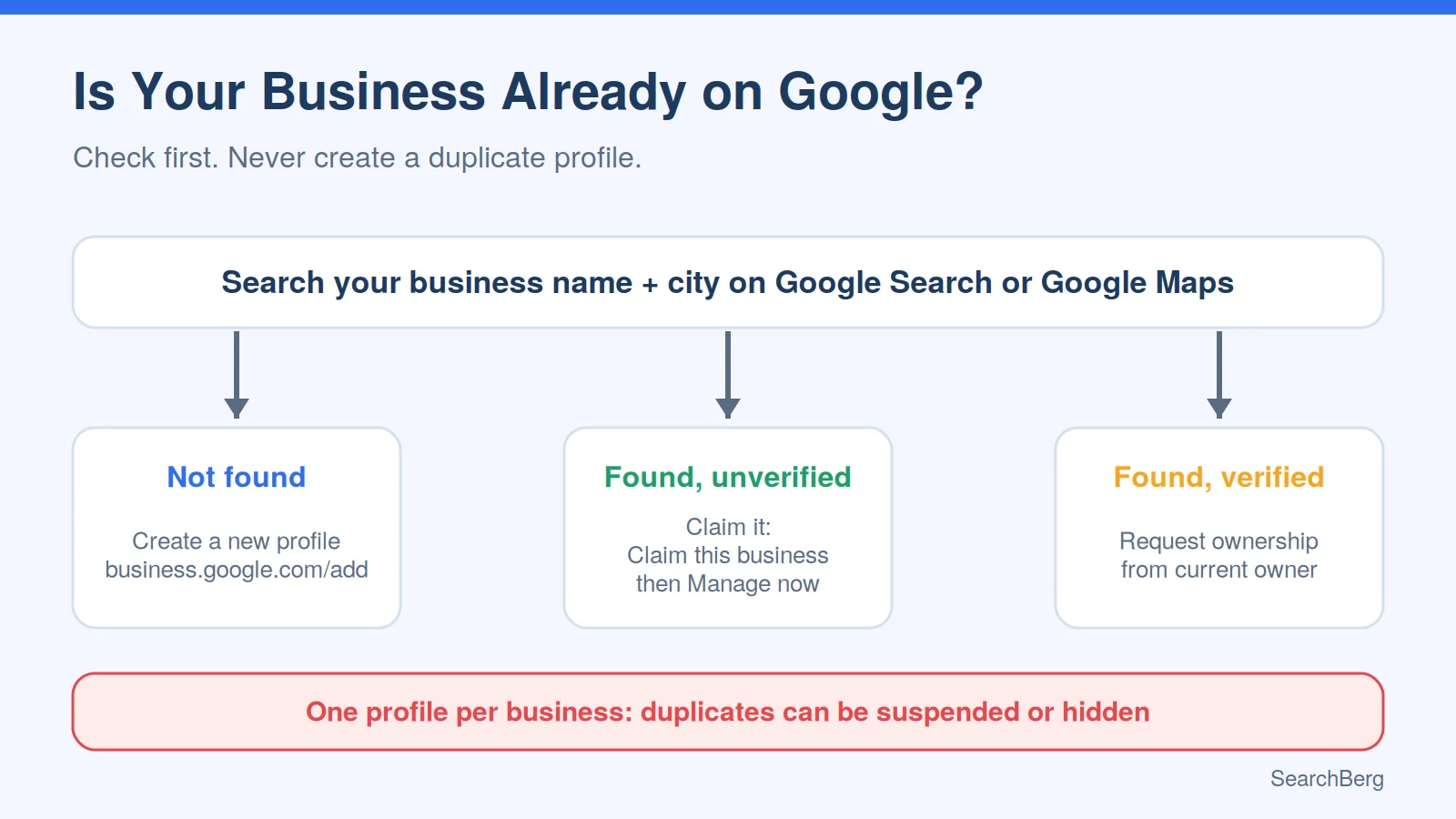
Google creates some listings automatically, and a previous owner or employee may already have created one. Always check before you create anything new.
Open Google Search or Google Maps.
Search for your business name and city.
If you see a profile with a "Claim this business" option, you can claim it. If it is already verified and you are authorized to manage the business, you can request ownership from the current owner.
If your business does not appear, continue to Baby Step 2 and create a new profile.
Create only one profile for the area you serve. Google warns that your account may be suspended if it finds multiple profiles for the same business in the same metropolitan area. If an old profile exists for a previous, closed business at your address, do not claim it. Suggest an edit to mark it as closed, then create your own.
Go to business.google.com.
Sign in with the Google Account you want to manage the profile.
If you do not have one, create a new account. Use your business email domain if you can.
Go to business.google.com/add and click "Add your business to Google".
Enter your business name. If it appears in the suggestions, select it.
If Google tells you someone else has already verified the business, request ownership instead of creating a duplicate.
Search for your business category and select the most specific accurate match.
Beginner tip: You cannot create your own category. If the exact one you want is unavailable, choose a more general category that still accurately describes your business.
Choose whether you have a location customers can visit. If you run a storefront staffed during business hours, answer Yes and enter your full address. You may be asked to place a pin on the map.
If you travel to customers and do not receive them at your address, choose the service-area option, enter the cities or postal codes you serve (up to 20), and keep your address hidden.
Double-check spelling and the map pin, because this is the information Google uses to verify you.
Enter your business phone number.
Enter your website address, if you have one.
Remember that you can edit these details later from "Edit profile".
Click "Verify now" on the red banner at the top of your profile. You can also choose "Verify later", but your profile will not be visible to customers until you finish.
Pick one of the verification methods Google offers. Options can include phone, text, email, video recording, or a live video call. The available methods depend on your business category, region, and other factors, and you cannot choose one Google does not offer.
Follow the on-screen steps and enter any code you receive.
Do not edit your business name, address, or category while verification is pending.
Wait for Google's review. Some reviews take several business days (Google's guidance mentions up to 5 to 7 business days).
You will get a notification when you are verified. If the "Get verified" button returns, try another method.
Important: Customers can only find your Business Profile on Google after you complete verification.
A verified profile with only a name and address is not very helpful. Once you are verified, fill in the rest using the detailed steps later in this guide:
Set your opening hours and a business description (see Step 3).
Add your services (see Step 4).
Upload your logo, a cover photo, and real photos of your business (see Step 6).
Search for your business name and city on Google Search and Google Maps. You can also search "my business" while signed in to your account to find and manage your profile.
Browse privately in Chrome or Google Maps to see what customers see.
Check that your name, address, phone number, website, and hours are correct.
Set a monthly reminder to review your profile and keep it current.
Good to know: Button and menu names in Google products change from time to time and can differ between Search, Maps, and mobile. The Google Help links in each section always show the most current steps.
Google Business Profile optimization is the process of improving your business listing on Google Search and Google Maps so that customers can understand what you offer, where you operate, and how to contact or visit you.
Formerly known as Google My Business (GMB), Google Business Profile (GBP) allows eligible businesses to manage important public-facing information, including their business name, primary category, address or service area, operating hours, phone number, website, services, photos, and customer reviews.
Optimization involves ensuring that this information is accurate, complete, useful, and consistent with Google's guidelines.
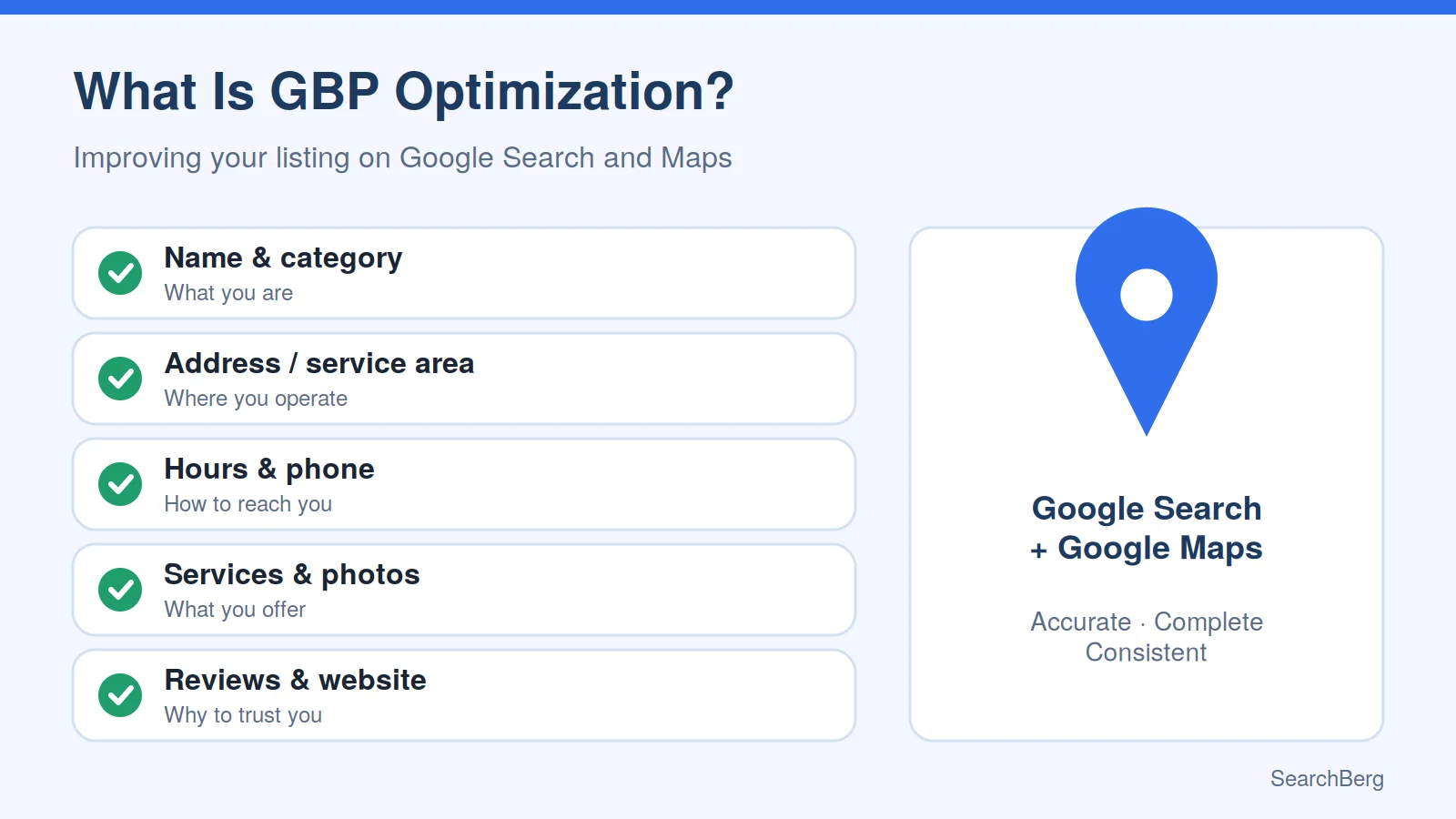
For example, a local plumbing company might improve its profile by selecting the most appropriate primary category, listing the plumbing services it actually provides, adding genuine photographs of completed projects, updating its holiday hours, and making it easier for customers to request service.
These improvements help potential customers make informed decisions and give Google clearer information about the business.
However, a complete profile does not automatically rank first.
Local visibility also depends on factors such as the searcher's location, the relevance of the business to the query, and the business's prominence. Effective optimization therefore combines accurate profile management with a broader local SEO strategy.
Customers frequently use Google Search and Google Maps to discover nearby businesses, compare providers, check opening hours, read reviews, and decide which company to contact.
If your profile is incomplete, inaccurate, or poorly maintained, potential customers may choose a competitor with clearer information and a more convincing online presence.
A properly maintained Google Business Profile can support several business objectives.
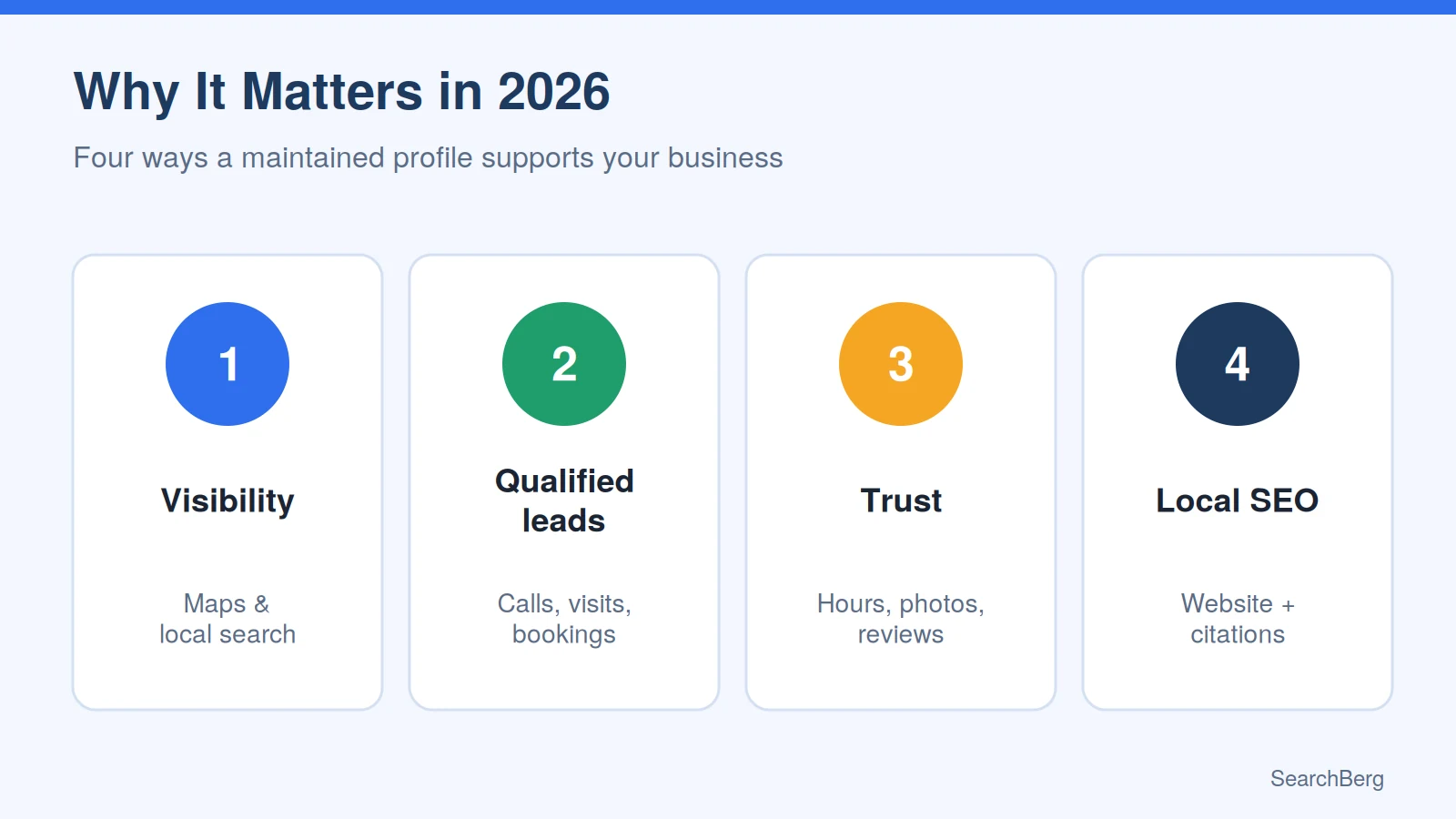

An accurate profile helps Google understand your business and determine which searches may be relevant to it. Appropriate categories, complete business information, and a website that clearly explains your services can support your local search visibility.

Your profile can help customers take action without needing to search through several pages of your website. Depending on the business and available features, customers may call, request directions, visit your website, book an appointment, or explore your offerings.
The goal is not simply to increase profile views. It is to attract people who are genuinely interested in your products or services.

Accurate operating hours, real business photographs, detailed service information, and authentic customer reviews help people assess whether your business meets their needs.
Inconsistent information or outdated details can create uncertainty and cause potential customers to look elsewhere.

Your Google Business Profile is one part of your local search presence. A well-structured website, relevant location and service pages, consistent business information, and genuine references from other websites can complement profile optimization.
For businesses competing in crowded local markets, addressing these connected elements can be more effective than repeatedly editing profile fields without a clear strategy.
Before optimizing your profile, it helps to understand the main factors Google identifies in its local ranking guidance.
Google explains that local results are primarily influenced by relevance, distance, and prominence. These factors work together to determine which businesses may be appropriate for a particular search.
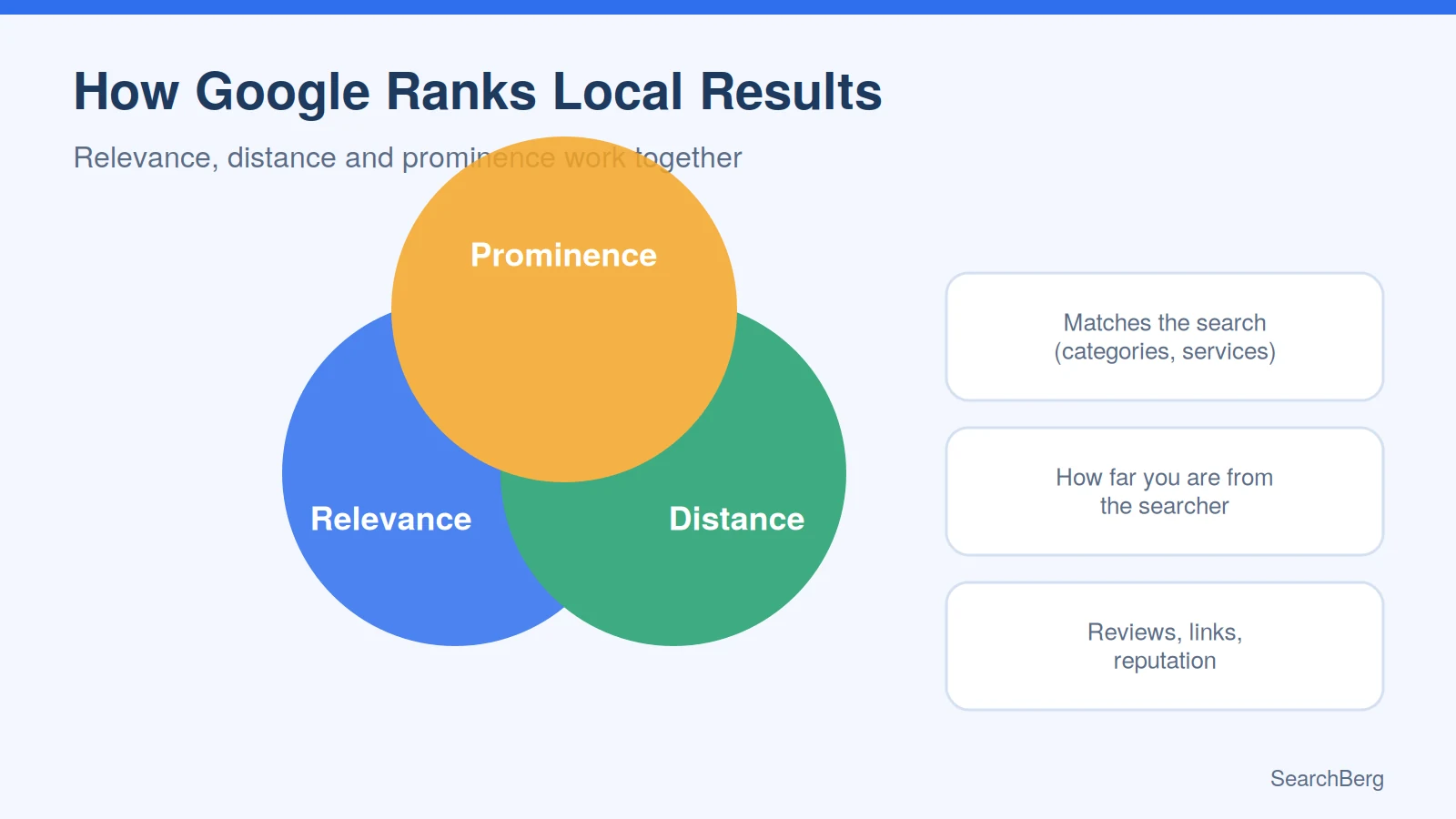

Relevance describes how well a business profile matches what someone is searching for.
For example, a search for an emergency electrician is more specific than a general search for a home improvement company. Google needs sufficient accurate information to understand whether a business provides the requested service.
You can strengthen relevance by choosing appropriate categories, accurately describing your services, completing relevant profile fields, and ensuring that your website clearly communicates what your business does.

Distance refers to how far a business is from the person conducting the search or the location implied by their query.
A business may rank prominently for relevant searches near its physical location but appear less often as the search moves farther away.
You cannot legitimately manipulate a searcher's location or guarantee visibility throughout an entire city by adding more service areas. Instead, ensure that your address and service areas accurately represent your operations.

Prominence reflects how well-known a business is. Google considers information such as links from other websites and customer reviews among the signals associated with prominence.
A strong reputation, useful website content, and credible references to your business can contribute to a more established local presence.
There is no guaranteed shortcut to prominence. Buying reviews, creating artificial links, or using misleading business information can undermine trust and expose your business to policy violations.
Important: Google does not offer a way to request or pay for better organic local rankings. Optimization can improve the quality of your business information and support visibility, but no legitimate provider can guarantee the number-one position for every search.
It all starts with a conversation — get in touch with us right now via phone, email, or live chat and let's make it happen.
The following steps provide a practical framework for reviewing and improving your profile. If you already have a verified listing, start with an audit rather than creating another profile.
Before making significant changes, confirm that your business has an eligible profile and that you control it.
Visit Google Business Profile (business.google.com) and sign in with the Google account you use to manage your business.
Search for your business on Google or Google Maps. If a profile already exists, check whether you can claim or manage it. If you own the existing profile, avoid creating a duplicate listing for the same business and location.
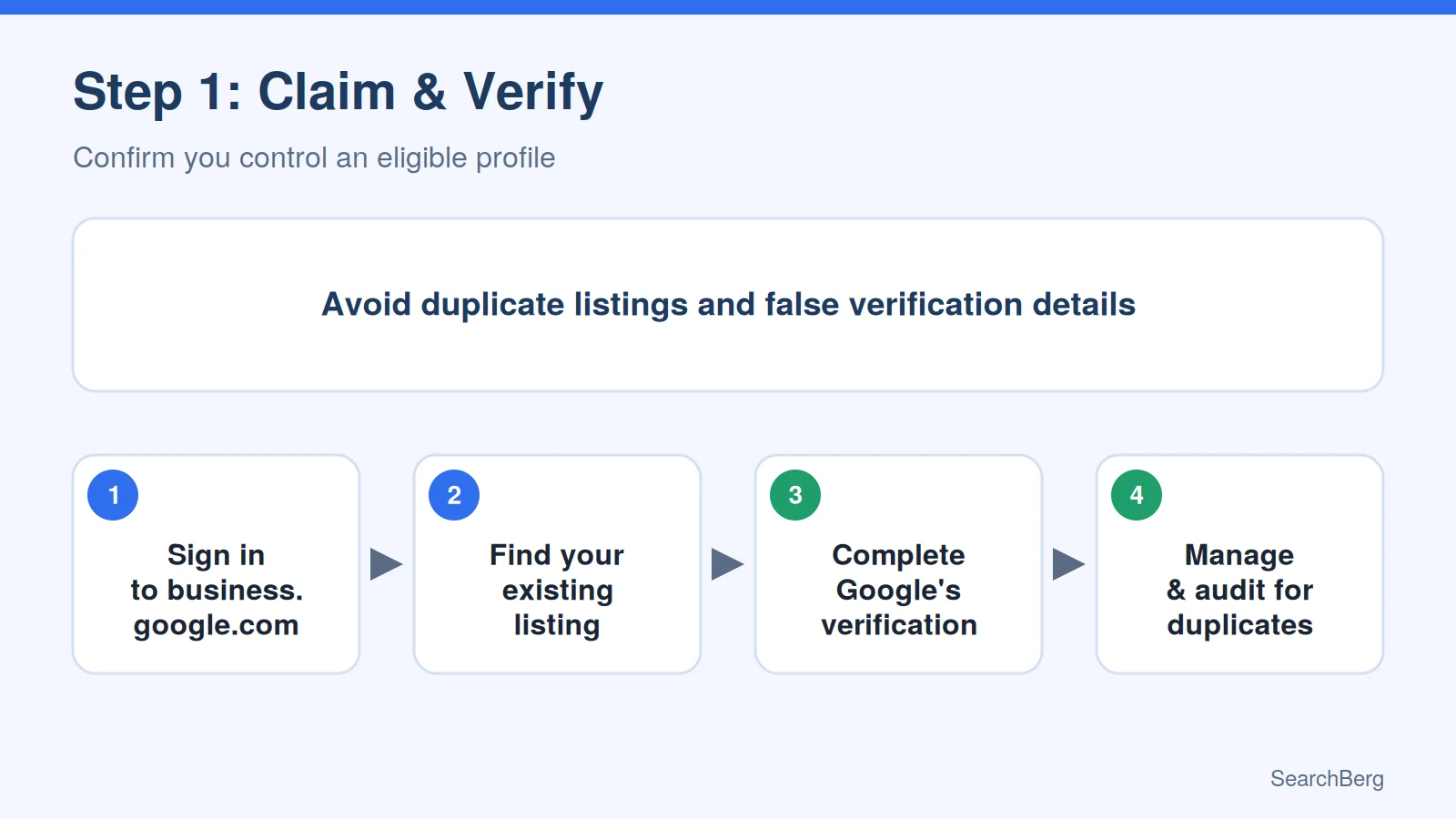
Follow Google's verification instructions. The available verification method depends on your business, its information, and Google's assessment. Options may include video recording, phone, email, or other methods when Google offers them. Not every business can choose its preferred method.
After verification, confirm that you can access the profile and manage its information.
If verification fails, follow the instructions shown in your account and consult Google's official support documentation. Avoid submitting false information or creating additional profiles to bypass verification.
Business categories help Google understand what your company does and which searches may be relevant to it.
Your primary category should describe the main business activity as specifically as the available options allow. Secondary categories can represent additional core activities when they genuinely apply.
For example, a company primarily providing plumbing services should choose an appropriate plumbing category rather than selecting a broader home services category simply because it sounds more inclusive.
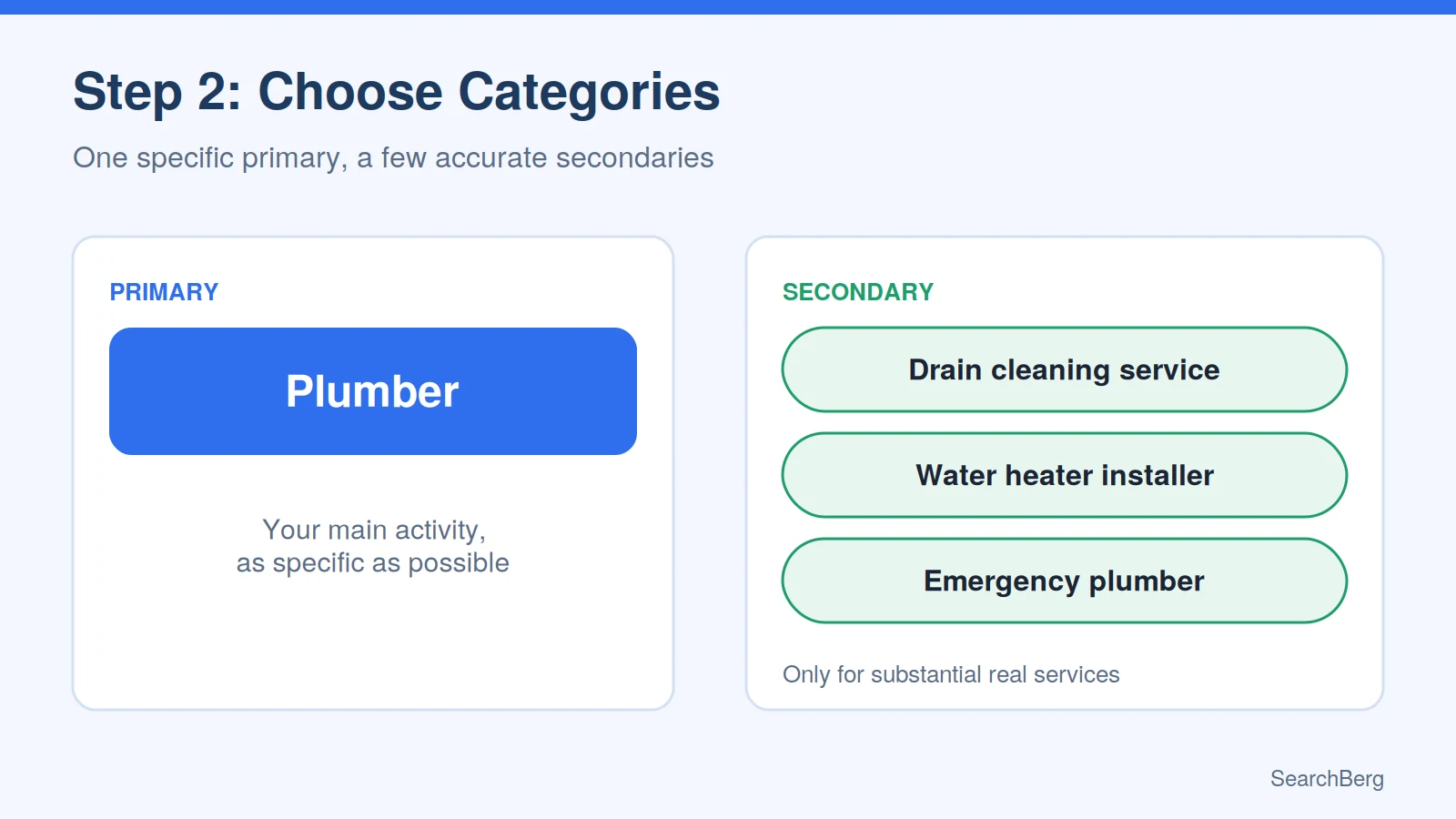
Review the categories used by relevant competitors to understand how businesses in your market describe themselves. However, competitor choices are research inputs, not proof that the same categories are appropriate for your company.
Avoid selecting categories solely because they contain high-volume keywords. Irrelevant categories can misrepresent your business and create a poor experience for customers.
Beginner tip: If your exact category is not listed, pick a more general one that still accurately describes your business. Google does not allow custom categories.
Accurate business information helps customers contact you and understand when and where they can access your services.
Open your profile and review each available information field.
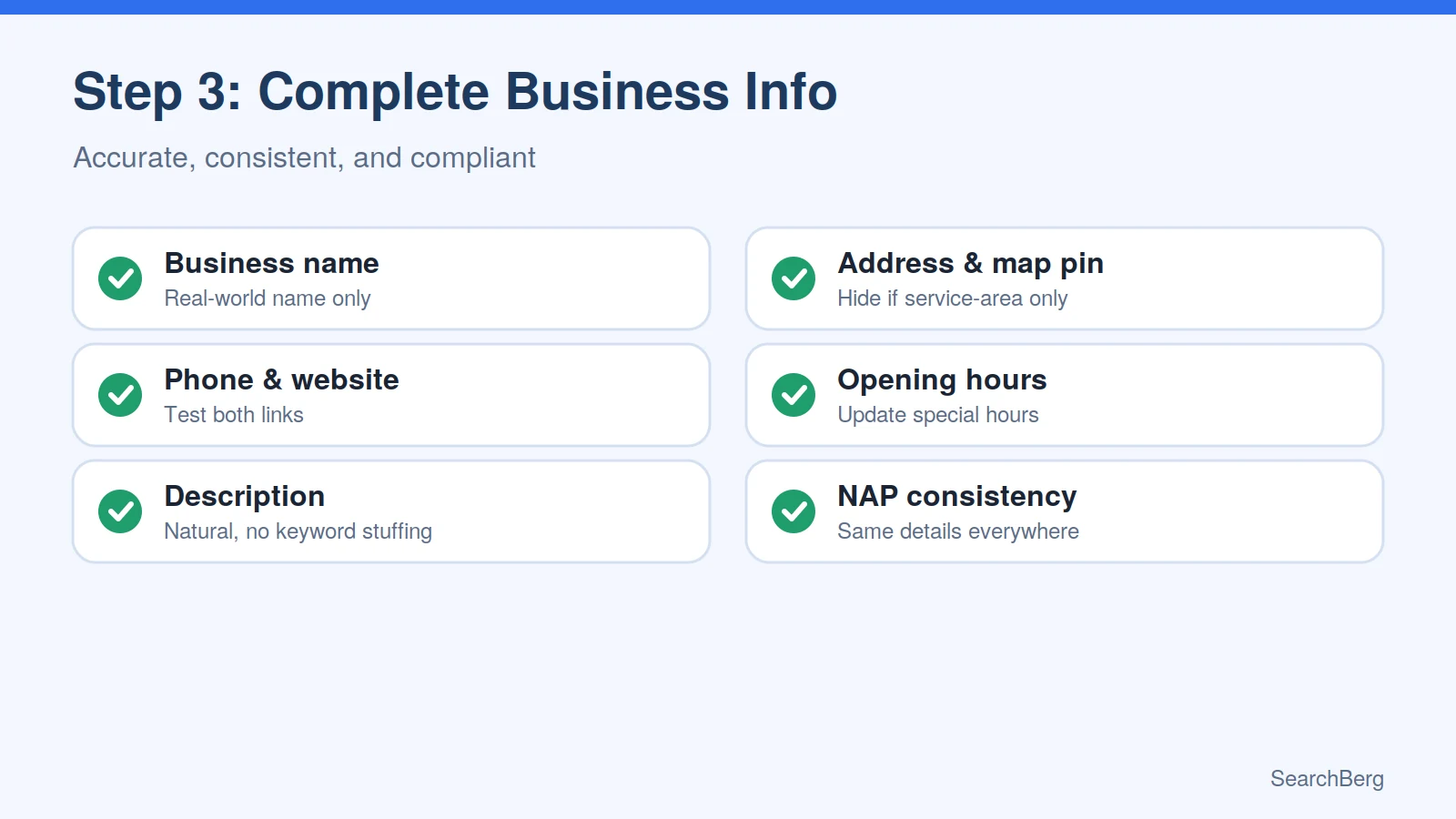
Use the real-world business name that customers recognize, consistent with your signage and other established branding.
Do not add city names, service keywords, slogans, or promotional phrases to your business name unless they are genuinely part of the business's real-world name.
For example, changing a legitimate business name to include a string of location and service keywords solely to influence rankings can violate Google's guidelines.
If customers visit your premises, enter the accurate business address and check that the map pin identifies the correct location.
If you operate as a service-area business and do not receive customers at your address, hide the address from public display as required by Google's guidelines.
Do not use a virtual office, mailbox, or unstaffed location as a substitute for an eligible business location.
Provide a working business phone number and a website that accurately represents your business.
Where possible, link to a relevant location page for a specific branch rather than sending every customer to a generic homepage.
Test the phone number and website link to make sure customers can reach the correct destination.
Set your regular business hours and update special hours for holidays, temporary closures, and other changes.
Incorrect hours can frustrate customers and lead to missed calls or visits. Review them before major holidays and whenever your schedule changes.
Use the description to explain what your company does, which customers it serves, and what distinguishes your offering.
Keep the wording informative, natural, and accurate. Avoid keyword stuffing, promotional pricing, links, and unsupported claims.
A useful description answers three questions: What does the business provide? Who does it help? What should customers know before contacting it?
Good to know: Google lets you set special hours for short changes, such as closing for up to six days in a row. Special hours only show if your main hours are set to "Open with main hours".
Your profile should clearly communicate the products or services your business actually provides.
Start by reviewing the available services editor. Depending on your category, Google may suggest relevant services or allow you to add custom entries.
For each service, use a clear name and provide a concise description when the option is available.
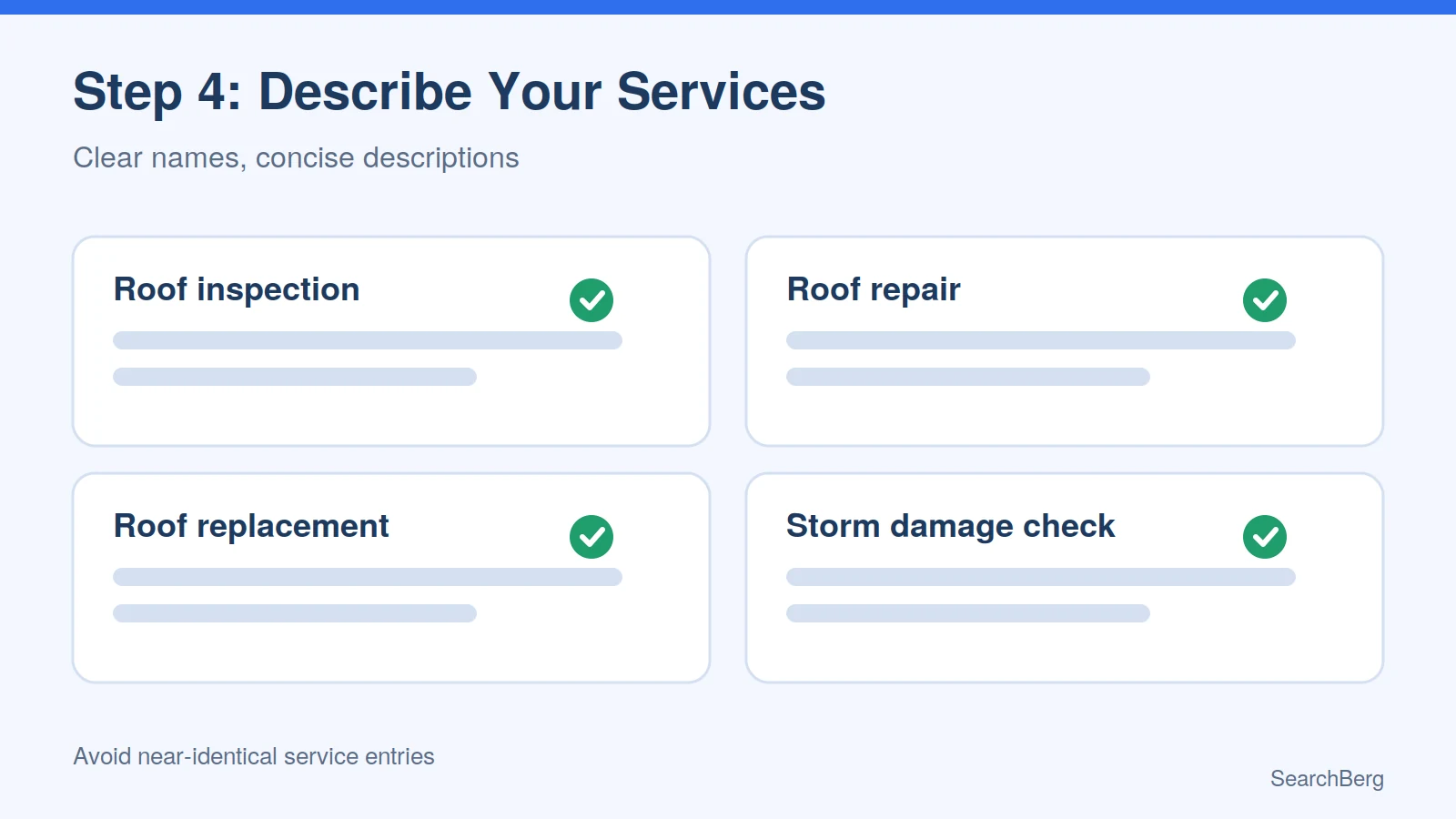
For example, a roofing company might distinguish between roof inspections, roof repairs, roof replacement, and storm damage assessments if it genuinely provides those services.
Avoid creating numerous near-identical service entries simply to target variations of the same keyword. The objective is to help customers understand your offering, not to fill the profile with repetitive phrases.
For businesses with a broad service offering, use the profile to communicate the most relevant information while providing more comprehensive explanations on dedicated website service pages.
Beginner tip: Custom service names are rejected if they contain vulgar language, gibberish, personal information, URLs, prices, or phone numbers.
Service-area settings are especially important for businesses that travel to customers, including plumbers, cleaners, electricians, mobile mechanics, and similar providers.
If your business serves customers at its own premises and also visits customers elsewhere, it may qualify as a hybrid business. If you travel to customers and do not serve them at your business address, you generally need to hide the address and configure the profile as a service-area business.
Google allows service areas to be specified using eligible geographic areas such as cities, postal codes, or other supported locations. You cannot configure a service area as an unrestricted radius around your business.
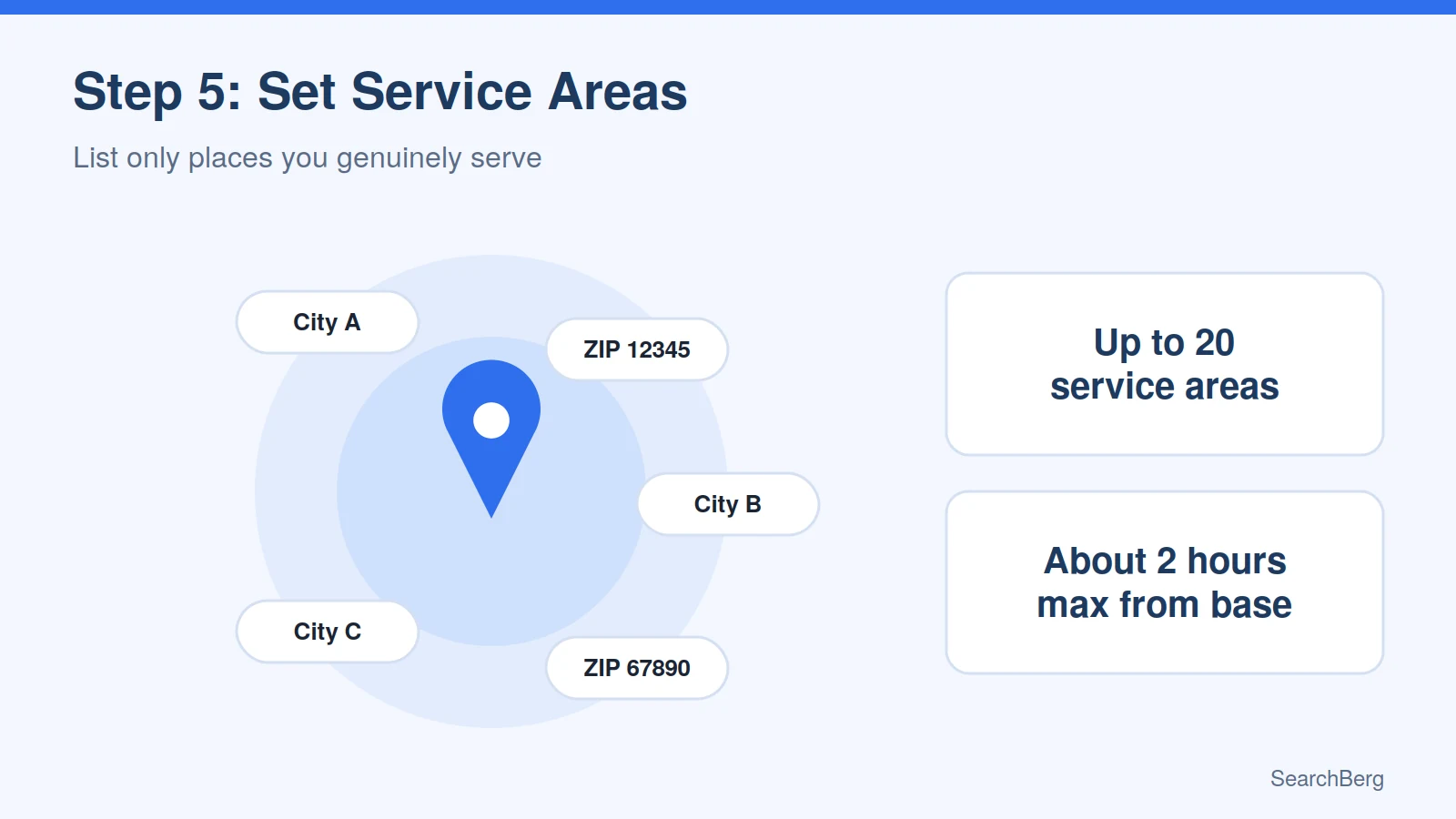
Google permits up to 20 service areas, and the overall area generally should not extend more than about two hours of driving time from the business's base, subject to the circumstances described in its guidance.
Adding every nearby city does not guarantee rankings in those locations. Distance remains a separate local ranking factor, and the business must genuinely serve the areas it lists.
If you want to attract customers in additional cities, consider whether your business has the operational capacity and distinct service information needed to support those markets. Relevant website content may help customers understand your coverage, but it does not eliminate Google's distance considerations.
Good to know: You cannot set a service area as a radius around your business. If customers visit your address and you also travel to them, enter both your address and your service area. If customers never visit your address, hide it.
Photos help customers understand what your business looks like, what you offer, and what they can expect when they visit or hire you.
Use genuine, clear images that represent your business accurately. Depending on your industry, useful photographs might include your premises, team, equipment, completed projects, products, or work in progress.
For a restaurant, photographs of the dining area and actual dishes can help customers decide whether to visit. For a contractor, project photographs can illustrate the type and quality of work performed.
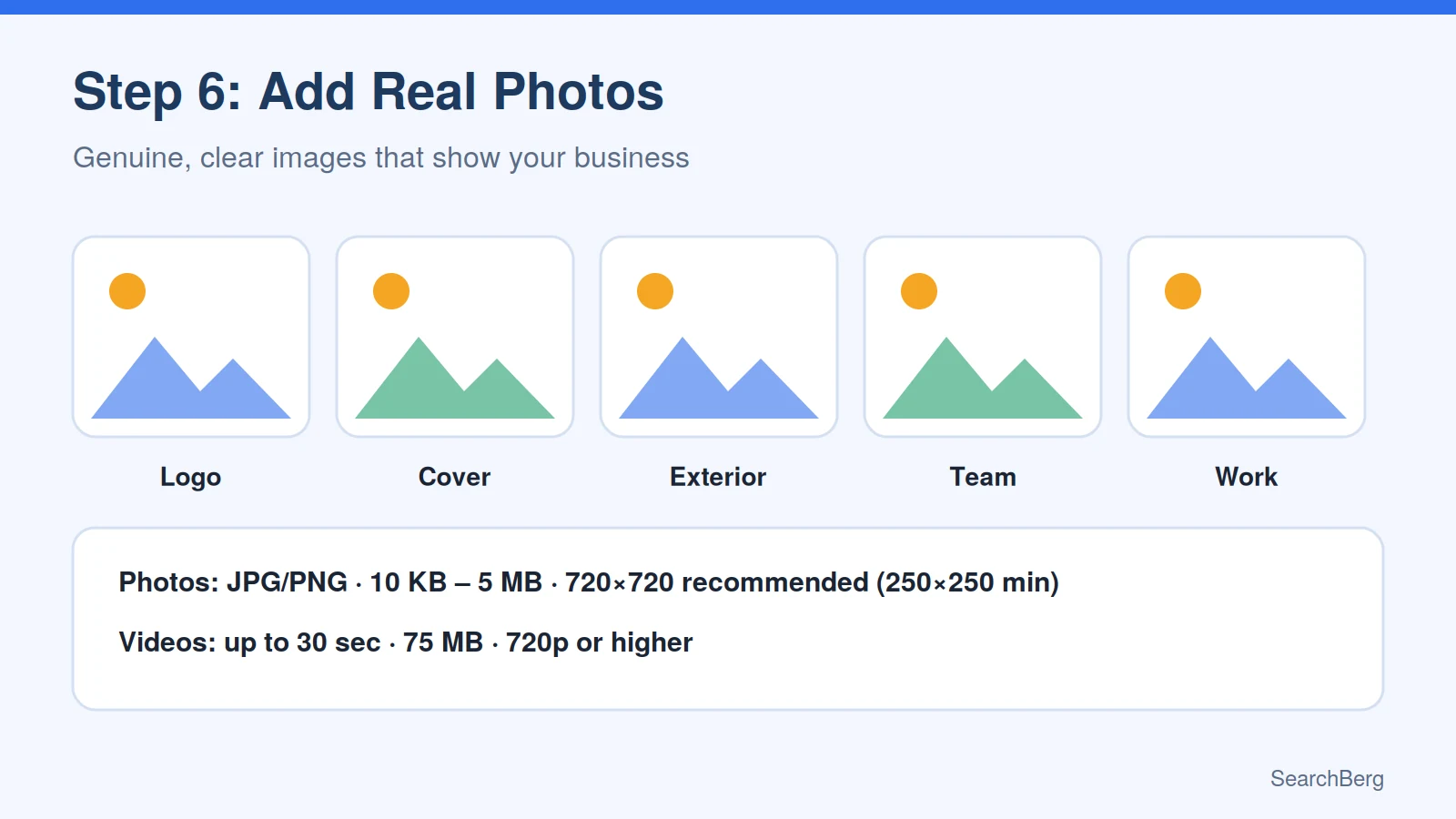
Google's published photo guidance recommends JPG or PNG files between 10 KB and 5 MB, with a recommended resolution of 720 × 720 pixels and a minimum of 250 × 250 pixels. Videos can be up to 30 seconds long, 75 MB in size, and at least 720p. Check the current requirements before uploading.
Uploading a cover photo does not guarantee that Google will always display it as the first image. Google determines how profile images appear across its services.
There is also no need to upload artificial location metadata or repeatedly add nearly identical images. Prioritize genuine, useful visual content that helps customers evaluate your business.
Good to know: Photos and videos only show on Google after you verify your Business Profile, and they must follow Google's content policies.
Reviews can influence customer decisions and contribute to the information people use when evaluating a business.
A strong review strategy focuses on providing good service, making it easy for customers to share honest feedback, and responding professionally to their experiences.
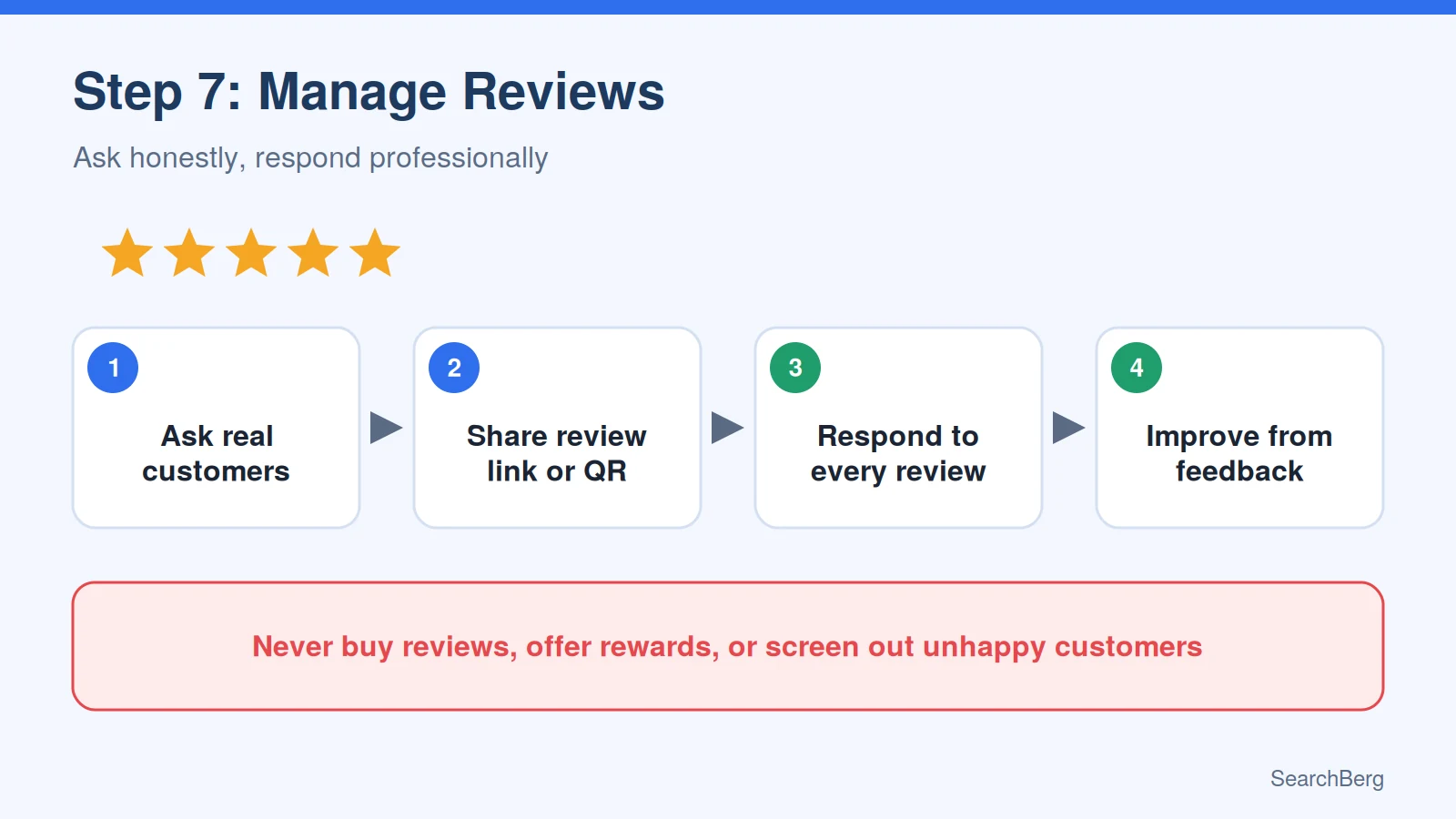
Do not buy reviews, offer rewards in exchange for positive reviews, create fake customer accounts, or ask only satisfied customers to review you while discouraging dissatisfied customers from participating. These practices can violate Google's review policies.
When responding to negative feedback, avoid sharing private customer information or arguing publicly. Acknowledge the concern, explain the next step where appropriate, and invite the customer to continue the conversation through a suitable private channel.
Review count and ratings are not the only indicators of reputation. Review relevance, customer expectations, business responsiveness, and the quality of the actual service experience all matter to prospective customers.
Important: You must verify your business before you can reply to reviews. Never offer incentives such as discounts or free items in exchange for reviews.
Google Business Profile posts can communicate timely updates, events, offers, and other relevant information to customers.
Where posting is available for your business, use it to share information that helps people decide whether to contact or visit you.
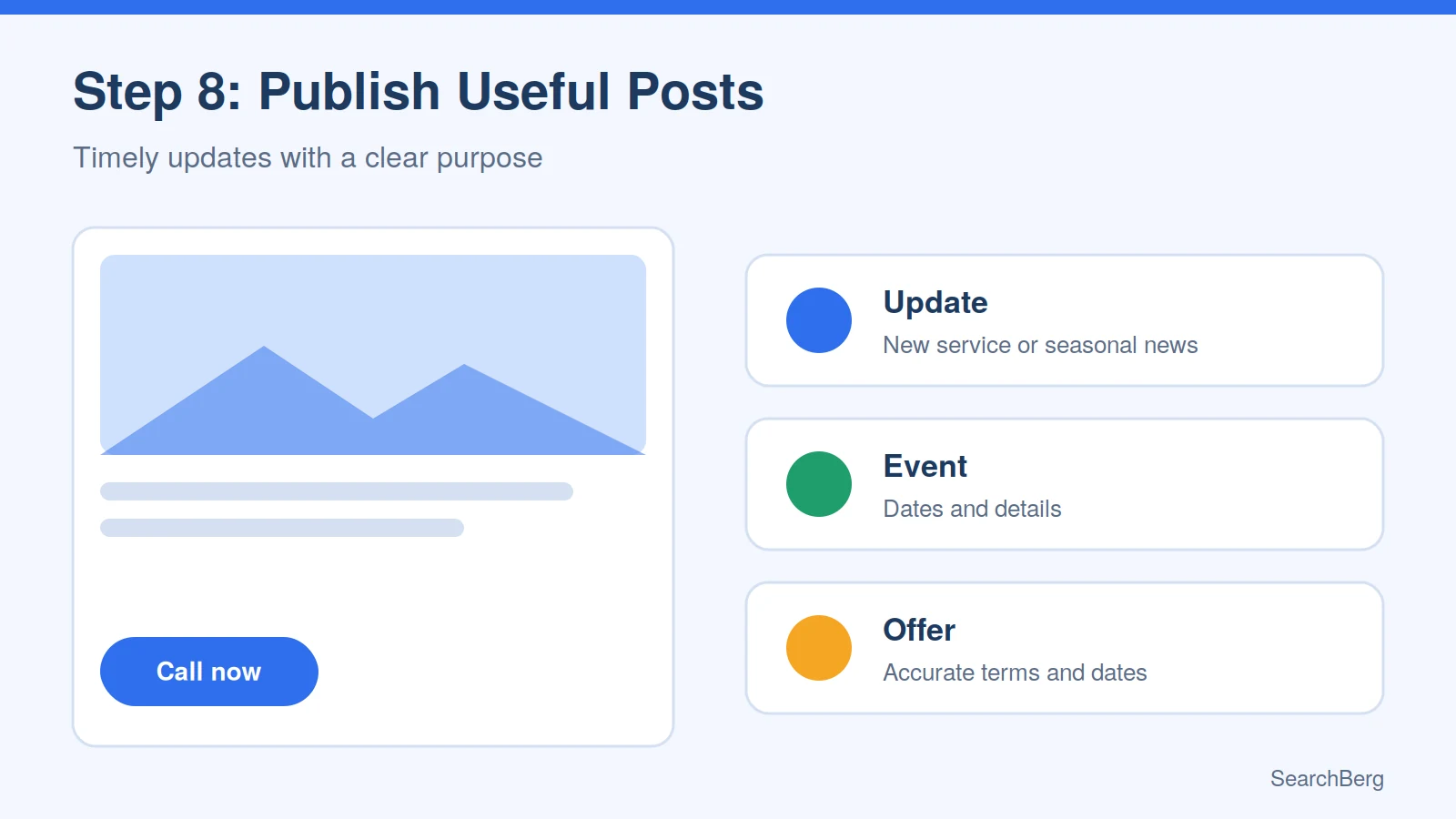
Each post should have a clear purpose, concise wording, and an appropriate image when one adds value. Include a relevant call to action if the available post format supports it.
Avoid publishing repetitive posts simply to maintain an arbitrary posting frequency. A useful update is more valuable to customers than a series of nearly identical promotional messages.
Follow Google's current post policies, including restrictions on contact information. Google may remove posts containing phone numbers or other unverified contact details.
Good to know: Posts that include a phone number in the description may be rejected. Use a call button instead when one is available.
Optimization does not end when your fields are filled in. Google provides performance data that shows how people find your Business Profile and what they do next, so you can see which changes are helping.
Depending on your profile, the data can include how many people viewed your profile on Search and Maps, how often customers clicked to call, request directions, or visit your website, and which searches showed your profile. Google notes that insights may not be available for every profile.
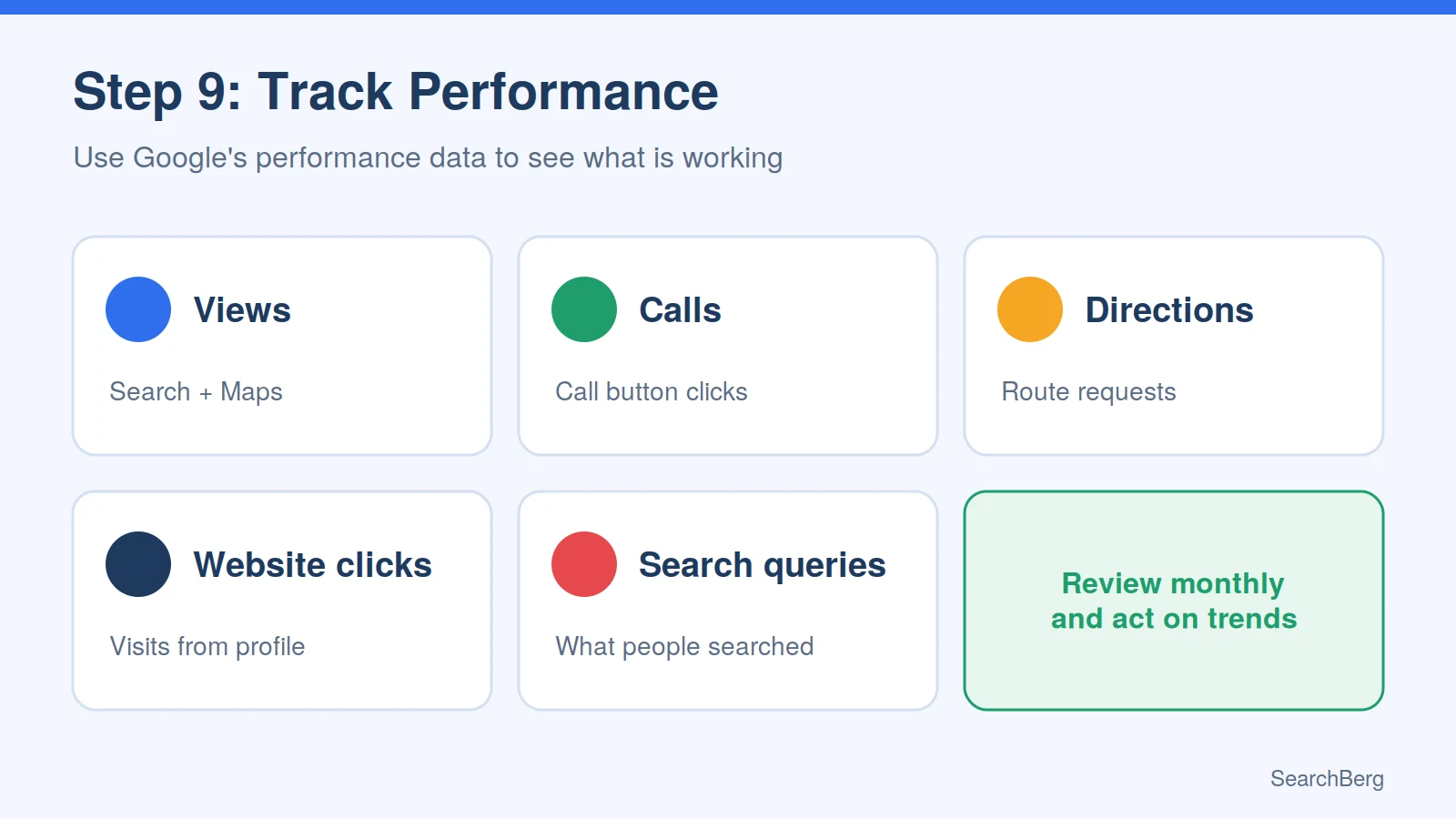
Remember that performance data shows activity on your profile only. It does not replace a broader local SEO strategy, and there is no way to pay Google for a better local ranking.
Everything in this guide can be done in-house, and many businesses do exactly that. But a strong profile takes ongoing time and attention, and some situations are simply easier with an experienced partner.
SearchBerg is a digital marketing and SEO agency that helps local businesses get set up on Google and get more from the profiles they already have. Depending on where you are today, that can include:
 Google Business Profile setup and verification support.A profile audit to spot missing information, category issues, and duplicate listings.Optimization of your categories, services, service areas, description, and photos.Guidance on reviews, posts, and tracking your results as part of a wider local SEO plan.
We follow Google's guidelines and never promise rankings. As this guide explains, Google does not offer a way to pay for a better local position, so be cautious of anyone who guarantees the number-one spot.
Local SEO Performance & Keyword Ranking Analysis • May–Sept 2025 vs May–Sept 2026

Local SEO Optimization & Growth Analysis • May–Sept 2025 vs May–Sept 2026

Local SEO Optimization & Ranking Performance • May–Sept 2025 vs May–Sept 2026
Keep these official Google pages handy. Google updates its Help Center regularly, so these links are the best place to confirm current steps and policies.
| Official Google Help page | Web address |
|---|---|
| Getting started | |
| Business Profile overview: what it is and what you can do | support.google.com/business/answer/7039811 |
| Sign up for Business Profile | support.google.com/business/answer/10514137 |
| Sign up and verify your business | support.google.com/business/answer/6300716 |
| Add or claim your Business Profile | support.google.com/business/answer/2911778 |
| Add your business to Google | business.google.com/add |
| Request ownership of a Business Profile | support.google.com/business/answer/4566671 |
| Verify your business on Google | support.google.com/business/answer/7107242 |
| Policies and rules | |
| Business eligibility and ownership guidelines | support.google.com/business/answer/13763036 |
| Guidelines for representing your business on Google | support.google.com/business/answer/3038177 |
| All Business Profile policies and guidelines | support.google.com/business/answer/7667250 |
| Editing your profile | |
| Edit your Business Profile | support.google.com/business/answer/3039617 |
| Choose a business category | support.google.com/business/answer/7249669 |
| Manage your business address | support.google.com/business/answer/2853879 |
| Edit your business hours | support.google.com/business/answer/15300403 |
| Set special hours | support.google.com/business/answer/6303076 |
| Manage your services on your Business Profile | support.google.com/business/answer/9455399 |
| Manage your service areas (service-area and hybrid businesses) | support.google.com/business/answer/9157481 |
| Photos, reviews, and posts | |
| Manage photos and videos for your Business Profile | support.google.com/business/answer/6103862 |
| Tips for business-specific photos | support.google.com/business/answer/6123536 |
| Tips to get more Google reviews | support.google.com/business/answer/3474122 |
| Read and reply to customer reviews | support.google.com/business/answer/3474050 |
| Create and manage posts on your Business Profile | support.google.com/business/answer/7662907 |
| Create a post for your Business Profile | support.google.com/business/answer/7342169 |
| Ranking and performance | |
| Tips to improve your local ranking on Google | support.google.com/business/answer/7091 |
| Understand your Business Profile performance and insights | support.google.com/business/answer/9918094 |
| Take your Business Profile to the next level | support.google.com/business/topic/6334885 |
| Fixing problems and getting help | |
| Fix suspended or disabled profiles | support.google.com/business/answer/4569145 |
| Resolve duplicate profiles and ownership issues | support.google.com/business/answer/12756178 |
| Business owner conflict contact form | support.google.com/business/contact/business_owner_conflict |
| Google Business Profile Help Center | support.google.com/business/ |
| Google Business Profile (sign in and manage) | business.google.com/ |
NAP stands for Name, Address, and Phone Number. It refers to the essential information about your business that helps customers identify and contact you. NAP consistency is crucial for local search optimization because it helps search engines and customers find accurate, up-to-date information about your business.
Google Business Profile (GBP), formerly known as Google My Business (GMB), is a free tool from Google that allows businesses to manage their online presence across Google Search and Maps. By creating and optimizing a Google Business Profile, businesses can improve their online visibility and attract more customers.
Absolutely. Our Google Business Profile experts can handle the entire process, from verification and optimizing your business information to publishing posts, monitoring Insights, ongoing optimization, management, and regular reporting. We’ll guide you through each step to ensure your profile is complete, accurate, and optimized for maximum visibility.
A well-managed Google Business Profile can improve your online visibility, increase website traffic, phone calls, and foot traffic, generate more leads and sales, and strengthen customer trust and credibility. It also provides valuable insights into customer behavior that can help inform your marketing strategy.
The timeline can vary depending on factors such as the level of competition in your industry, the size of your target audience, and the extent of your optimization efforts. With consistent and effective optimization and management, you may start seeing positive results within a few weeks or months.
SearchBerg has a team of experienced Google Business Profile experts dedicated to helping clients achieve their digital marketing goals. Our service is tailored to the unique needs of each client, and we use a data-driven approach to maximize effectiveness. We also provide regular reporting and analysis to keep clients informed and on track.
If your Google Business Profile is suspended or removed, we’ll work with you to identify the issue and address it. While we make every effort to ensure compliance with Google’s guidelines, circumstances such as policy changes or actions taken on the profile can be outside our control, so reinstatement can’t be guaranteed.
Managing your own Google Business Profile is possible, but working with experienced professionals can save you time and help you get more from your profile. SearchBerg’s experts understand GBP best practices and have the experience required to optimize your listing effectively.
Yes. Google Business Profile, formerly known as Google My Business, is a free tool offered by Google. It enables businesses to manage their online presence across Google Search and Maps.
Google Business Profile categories are labels that help your business appear in relevant search results. You can select a primary category that best describes your core business and add additional categories that represent other products or services you offer. Choosing the right categories helps your business appear when potential customers search for relevant products or services.
Attributes are additional details you can add to your profile to highlight specific features or services your business offers, such as outdoor seating, free Wi-Fi, or wheelchair accessibility. These attributes help customers find businesses that meet their specific needs. Our Google Business Profile experts can help you select relevant attributes for your target audience.
Google provides different verification methods, which may include phone, email, or other available options. Follow the instructions provided in your Google Business Profile to complete the verification process.
You can manage multiple business locations under one account. This makes it easier to maintain and manage profiles for each location from a centralized place.
Ideally, post updates regularly and make sure your business information is always accurate and up to date.
Yes. Service-based businesses can hide their physical address and define the areas they serve instead.
GBP Insights show how customers find your business, what actions they take, and how your profile is performing. You can use these metrics to make more informed, data-driven decisions about your marketing strategy.
You now know exactly what an optimized GBP can do for your business. Let our team make it happen for you, no
guesswork, no wasted time.
Get started by filling out our form, or talk to us live and we'll answer any questions.