



Free Tools to Audit and Optimize Your GMB Listing
Optimizing your Google Business Profile (GBP, formerly GMB) is a foundation of local SEO. A well-optimized profile helps your business appear in map results, local searches, and “near me” queries more reliably.
The good news is that many powerful tools exist at no cost that let businesses audit their profile, identify weaknesses, and improve visibility. In this article, you’ll find a thorough GMB audit checklist, free audit tools, and strategies to optimize your listing for better performance. Whether you manage one location or multiple, these methods help you refine your presence and attract local customers.
Why GMB Optimization Is Critical for Local SEO
Google’s own support documentation stresses that profiles with complete and accurate business information are more likely to show in relevant local search results. When users search for services nearby, Google prioritizes profiles in the Local Pack that are strong in relevance, distance, and prominence.
A complete profile with accurate NAP (Name, Address, Phone), business categories, updated hours, photos, and solid reviews signals authority and trust. Studies show that businesses with completed profiles, especially with recent photos, receive more direction requests and click-throughs.
Using free local SEO tools for GMB allows smaller businesses to compete with larger ones. These tools help detect discrepancies, missing data, or review issues that can drag down visibility. When your profile meets Google’s expectations, it’s more likely to rank in map queries and attract foot traffic.
Building a GMB Audit Checklist
A consistent GMB audit checklist ensures you cover all essential elements. Key items to include:
NAP Consistency
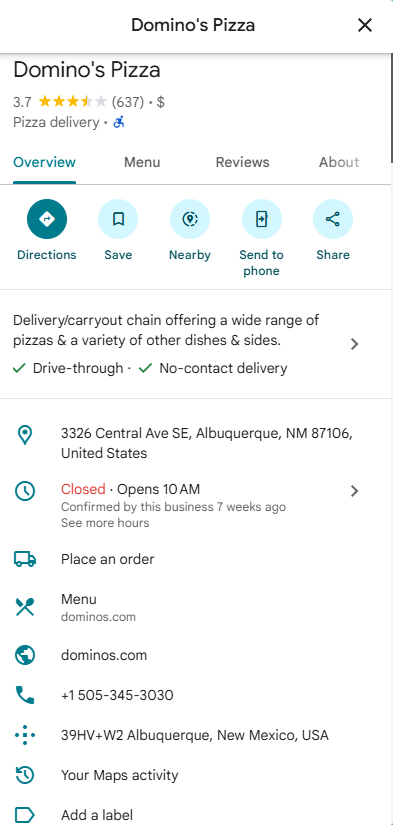
Your business name, address, and phone number must match exactly across your website, GBP, and directory listings. Even minor differences (like “St.” vs “Street”) can confuse systems or users.
Primary & Secondary Categories
Choose the most accurate primary category. Add secondary categories that reflect services you actually offer. Studies show that category selection has a significant impact on local visibility.
Business Information Completeness
Include hours (regular & holiday), website URL, services, descriptions, and attributes like “wheelchair accessible” or “free Wi-Fi.” Google encourages full completeness.
Photos & Videos
Upload fresh, high-quality images of your location, team, products, and services. Businesses with strong photo profiles tend to see more engagement.
Reviews & Responses
Monitor new reviews, encourage feedback, and respond to reviewer comments. Google suggests that replies help show your engagement.
Maintain this checklist regularly, i.e., monthly or quarterly, to detect issues early. Pairing it with free GMB audit tools ensures you catch even subtle problems before they hurt your ranking.
Free Google Business Profile Audit Tools You Can Use
Here are effective free tools you can use immediately to audit and optimize your GMB listing:
1. Google Business Profile Manager
This is your primary tool. In the dashboard, you can check insights, reviews, performance, and update profile aspects directly. Use it as your control center for audits.
2. BrightLocal’s Free Local Search Audit
BrightLocal offers a free audit that inspects local search factors, including your GBP. It reports issues in listings, visibility, and consistency.
3. BrightLocal’s Google Business Profile Audit Tool
As part of their audit suite, this tool focuses solely on profile issues (categories, duplicate listings, etc.). It flags missing fields and optimization opportunities
4. Whitespark’s Free Local Citation Finder
Whitespark finds local business directories where your profile should exist. Consistent citations boost GBP authority and help you detect missing listings.
5. Screaming Frog (free version)
Use Screaming Frog to crawl your website and landing pages associated with GBP (e.g. your service pages). It can uncover metadata issues, missing schema, or broken links that affect how Google interprets your business’s pages.
6. Google Search Console
While not GBP-specific, Google Search Console helps you see queries that lead to your site, which can inform how your GBP is seen in conjunction with your web pages.
By combining several of these free GMB audit tools, you gain a holistic view, not just of the profile fields, but of how your online presence supports your listing’s visibility.
Using Insights to Optimize GMB Listing
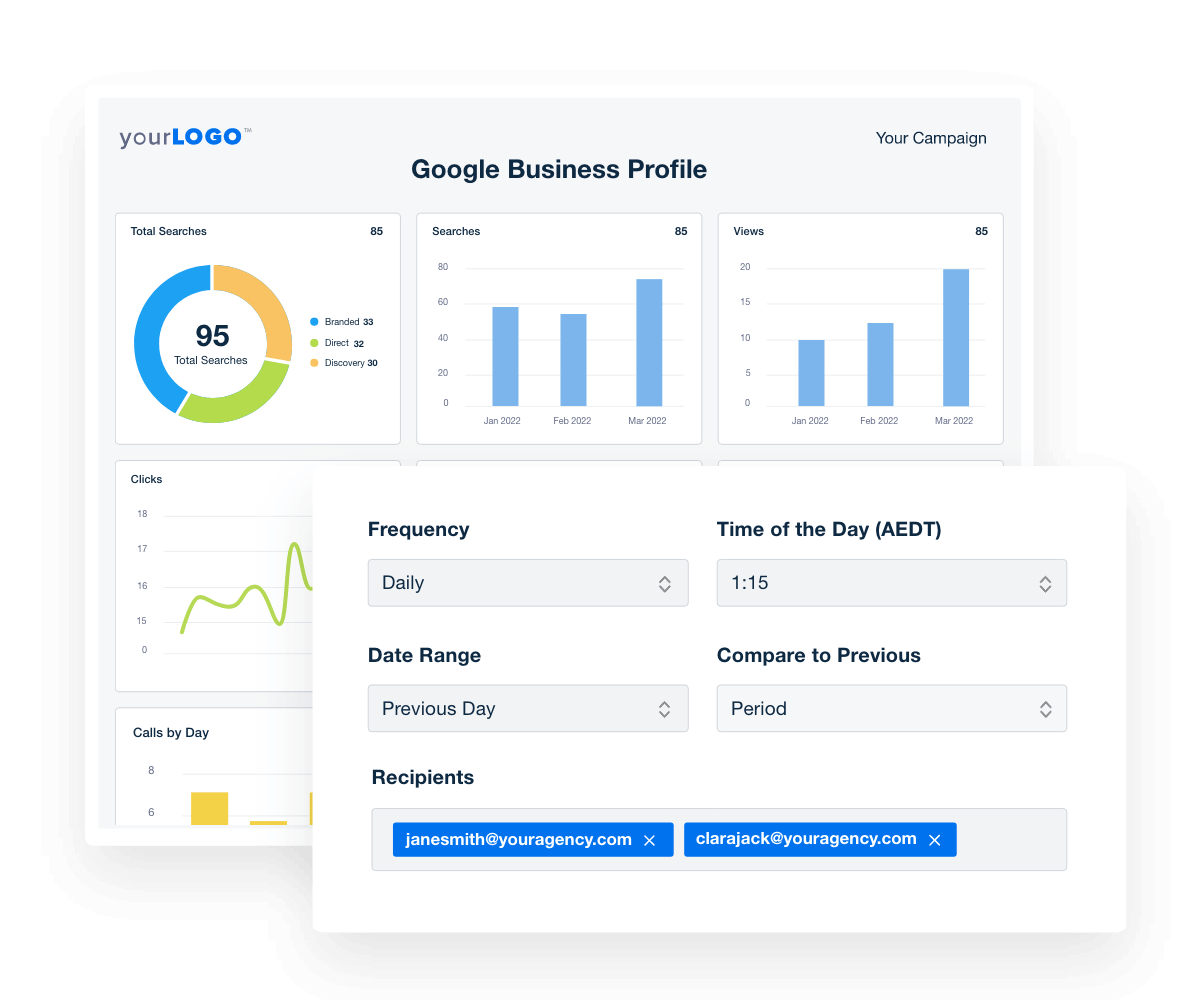
Insights from your Google Business Profile dashboard reveal how people interact with your listing, i.e., directions requests, website clicks, call taps, and photo views. Use this data to refine your profile:
- Peak Customer Actions: If calls or direction requests spike at certain times, adjust your business hours to match real demand.
- Popular Photos: See which images attract the most clicks or views. Use more of those types, i.e., interior shots, staff at work, product images.
- Search Queries: Identify queries users use to find you. If “espresso bar near me” is frequent, include related keywords in your business description or posts.
- Posts & Offers: Track which posts get clicks. Use that to tailor future posts or promotions that resonate with users.
These insights guide optimize GMB decisions. Incremental changes driven by data often outperform random updates.
Leveraging Reviews and Q&A During Optimization
Reviews strongly influence Google’s perception of trust and prominence. Research shows review signals carry meaningful weight in local ranking algorithms. High-quality ratings, frequent reviews, and varied review sources help your business appear more credible.
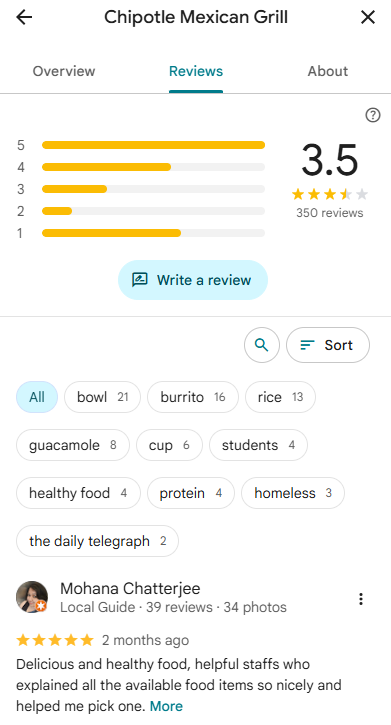
Use these tactics:
- Prompt real customersto leave feedback. Avoid incentivizing reviews (Google forbids giving discounts or rewards for reviews).
- Respond to reviews consistently. While direct ranking impact is debated, responses can improve engagement and signal activity.
- Seed Q&A proactively. Add common customer questions (hours, services, policies) and answer them. This prevents misinformation and shows clarity.
By managing reviews and Q&A professionally, you build trust with users and help your GBP listing remain strong in local search.
Common Mistakes When Auditing a GMB Listing
Even careful audits can miss pitfalls. Watch for these common errors:
- Ignoring duplicate listings: Multiple profiles confuse Google and users. Clean duplicates by requesting merges or removals.
- Outdated business info: Old hours, phone numbers, or closed locations frustrate customers.
- Neglecting secondary categories: Only setting a primary category limits your reach for relevant search terms.
- Stagnant photos or videos: A stale visual profile signals neglect and lowers engagement.
- Skipping audits: Many business owners audit once and forget. Use your GMB audit checklistregularly to catch new errors.
Avoiding these mistakes ensures your free tool audits translate into real ranking benefits.
Contact Us for Expert Help Optimizing Your GMB
Free tools are a strong way to begin optimizing GMB, but seasoned expertise can reveal advanced gaps, edge-case opportunities, and strategic improvements. If you want to go beyond basics, our team at Search Berg can dig into analytics, local competition, and deeper audits to drive measurable impact. Reach out today for tailored support in enhancing your Google Business Profile, implementing audit checklists, and boosting your local presence with ongoing optimizations.
FAQs on Free Tools to Audit and Optimize Your GMB Listing
1. What’s the best free tool to audit a GMB listing?
Google Business Profile Manager is essential for live edits and insights. For audit depth, BrightLocal’s free Local Search Audit is a strong companion.
2. How often should I audit my GMB listing?
Review your profile every 3 to 6 months, or sooner after business changes (relocation, new service lines, branding updates).
3. Are paid tools better than free GMB audit tools?
Paid tools provide richer data, competitor tracking, and automations. But free tools cover core optimizations that matter most at early stages.
4. What should I prioritize in my GMB audit checklist?
Start with NAP consistency, categories, business hours, images, and review responses. These factors strongly influence map rankings.
5. Can free local SEO tools help me rank in the Map Pack?
Yes, if paired with consistent updates, review growth, and technical alignment. Free tools help detect problems; your actions drive results.
Subscribe for More Insights
Explore more news, knowledge, and insights related to Google Business Profile and its uses.
No spam, just expert advice!