


How to Create a Google Business Profile Without an Address
Can you create a Google Business Profile without an address? It depends. One thing we can confirm is that eligible businesses can create a GBP without a visible address. That’s an important distinction.
A home-based or service-area business can still qualify without publishing the address it operates from. What matters is whether you actually interact with customers in person.
If you travel to customers to provide your services, you may be eligible to hide your address. If your business operates entirely online and you never meet customers in person, you won’t qualify for a Google Business Profile.
So before we get into setup, let’s figure out which category your business falls into.
Which Businesses Can Use a Google Business Profile Without an Address?
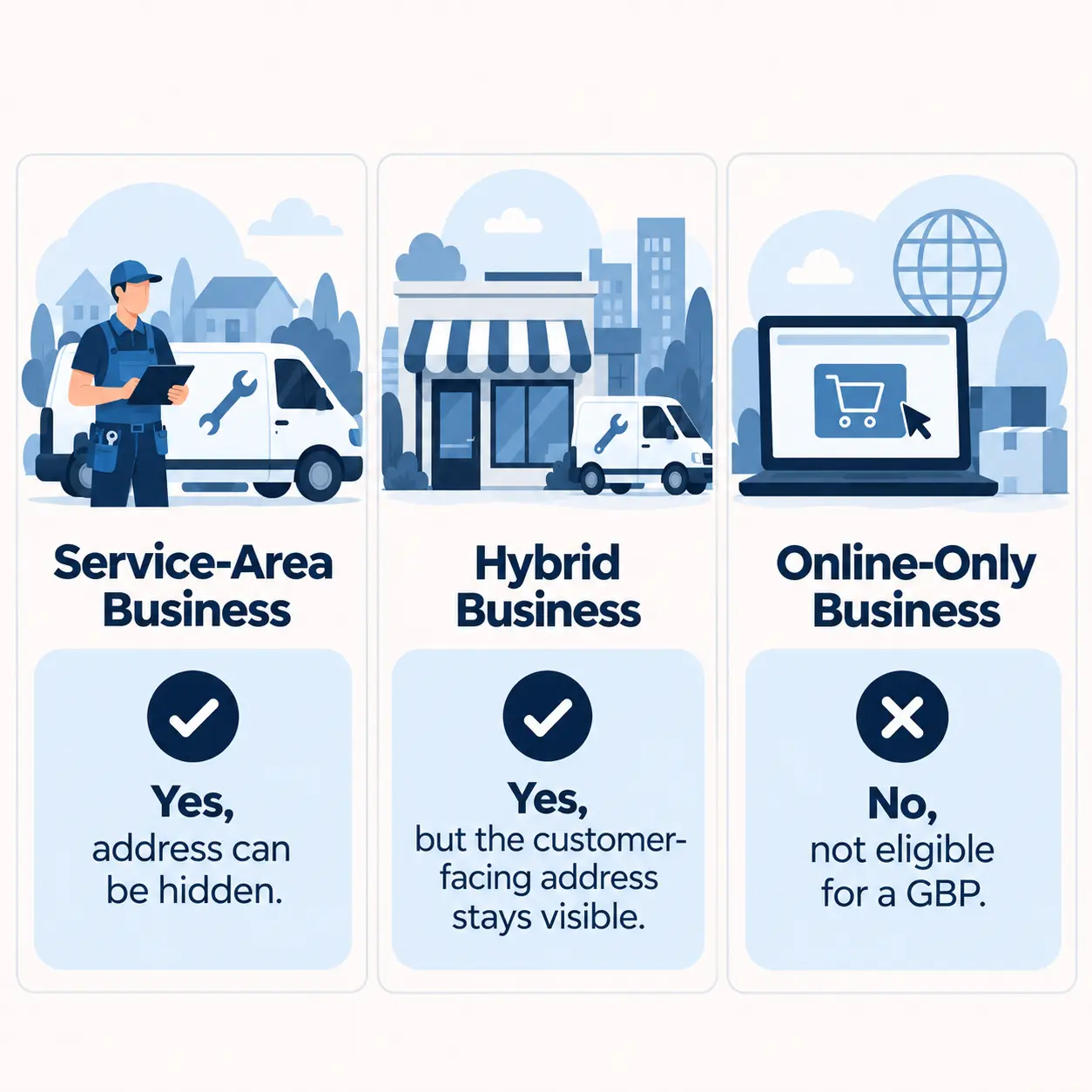
It really comes down to how and where you interact with customers. From there, you’re usually looking at one of three setups: service-area, hybrid, or online-only.
Can a Service-Area Business Create a Google Business Profile Without an Address?
If you travel to your customers instead of serving them at your own location, Google will generally treat you as a service-area business.
Think plumbers, electricians, cleaners, mobile mechanics, locksmiths, and home repair businesses. They may operate from a home or private base, but the actual service happens at the customer’s location.
The same applies if you run the business from home. You don’t need to send customers there just because that’s where the business is based.
That means you can create a Google Business Profile, list the areas you serve, and keep your home or operating address off the public profile.
Can an Online-Only Business Create a Google Business Profile Without an Address?
If your business operates entirely online, the answer is generally no.
Google Business Profiles are meant for businesses that interact with customers in person. So if everything happens through your website, email, phone, or other remote channels, you won’t qualify just because you want to appear on Google Search or Maps.
The test is simple: do you meet customers in person as part of delivering your product or service?
If not, creating the profile without a visible address won’t make the business eligible. But that doesn’t shut you out of Google. You can still build visibility through your website, organic search, and Google Ads, all of which are better suited to an online-only business.
Can a Hybrid Business Create a Google Business Profile Without an Address?
If customers can visit you at your location and you also travel to them, you’re running a hybrid business. In that case, you can still use a Google Business Profile, but your legitimate customer-facing address should still be shown.
What matters most is that the address is a real customer-facing location. Customers should actually be able to visit you there and receive service during your stated hours. A mailbox, rented address, or private location that customers never visit doesn’t count, even if you use it for the business.
Not sure if your business qualifies?
Use our free GBP Eligibility Checker before creating or changing your profile.
How to Create a Google Business Profile Without Showing Your Address
If your business qualifies, you can set it up as a service-area business.
1. Start or Claim Your Google Business Profile
Start by signing in with the Google account you want to use to manage the profile.
Then search for your business. If a profile already exists, claim it instead of creating a duplicate. If there isn’t one, create a new profile.
2. Enter Your Business Information
Enter your real business name and choose the category that best describes what you do.
Continue through the setup until Google asks about your location and where you serve customers.
3. Tell Google Customers Don’t Visit Your Location
If customers don’t visit your home or operating location, don’t list it as a customer-facing address.
When Google asks whether customers can visit your business location, choose the option that says they can’t.
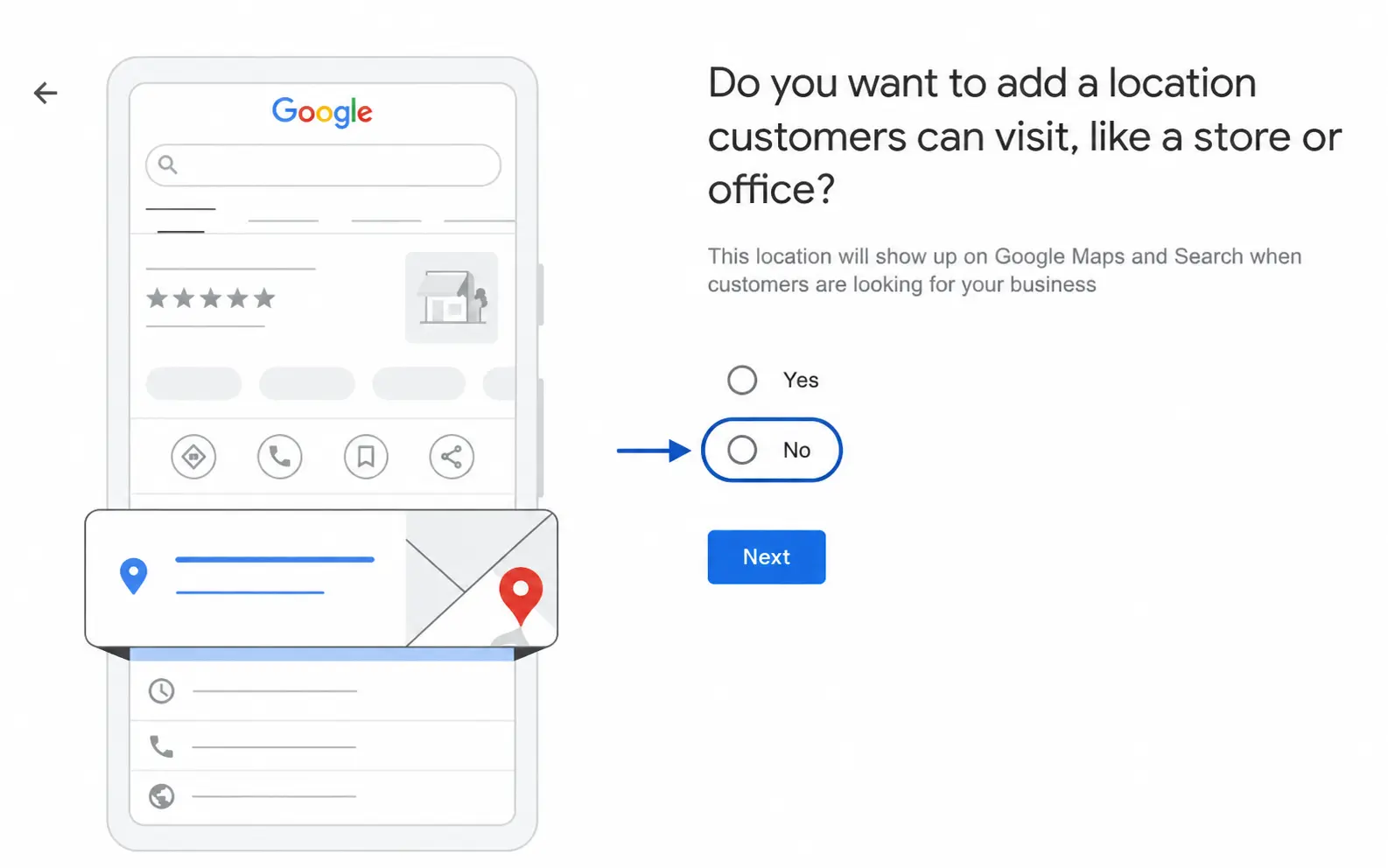
This is the critical setup decision. It tells Google not to send customers to your address and keeps that address off the public profile.
If customers actually do visit your location during business hours, don’t hide it just to create a service-area profile. That’s a whole different setup.
4. Add Your Service Areas
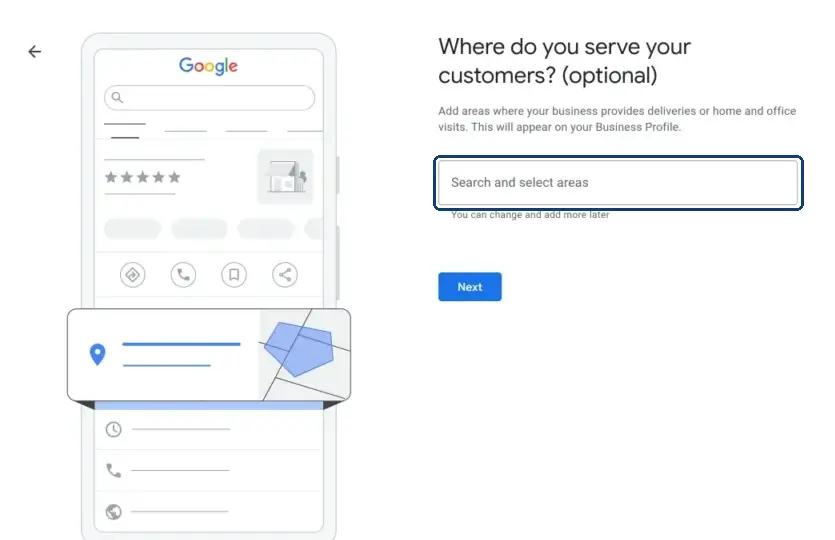
Now tell Google where you actually provide your services.
You can add supported areas such as cities or postal codes. Google no longer lets you set one broad service radius.
You can add up to 20 service areas, so stick to places you genuinely serve rather than everywhere you’d like to attract customers from.
5. Add Your Contact Information and Continue to Verification
Add the contact details Google asks for and complete the remaining setup steps.
Once that’s done, Google will take you to verification. Your address can still stay hidden from customers, even if Google asks for information that proves where and how the business operates.
How Do You Verify a Google Business Profile Without a Public Address?
You’ll still need to verify the profile. Google needs to confirm that the business is real and that you’re authorized to manage it.
Can You Choose Your Verification Method?
Not necessarily. Google decides which verification methods are available for your profile based on factors like the business, account, and location.
So rather than choosing from every possible option, you’ll see the method or methods Google has made available to you.
What If Google Requires Video Verification?
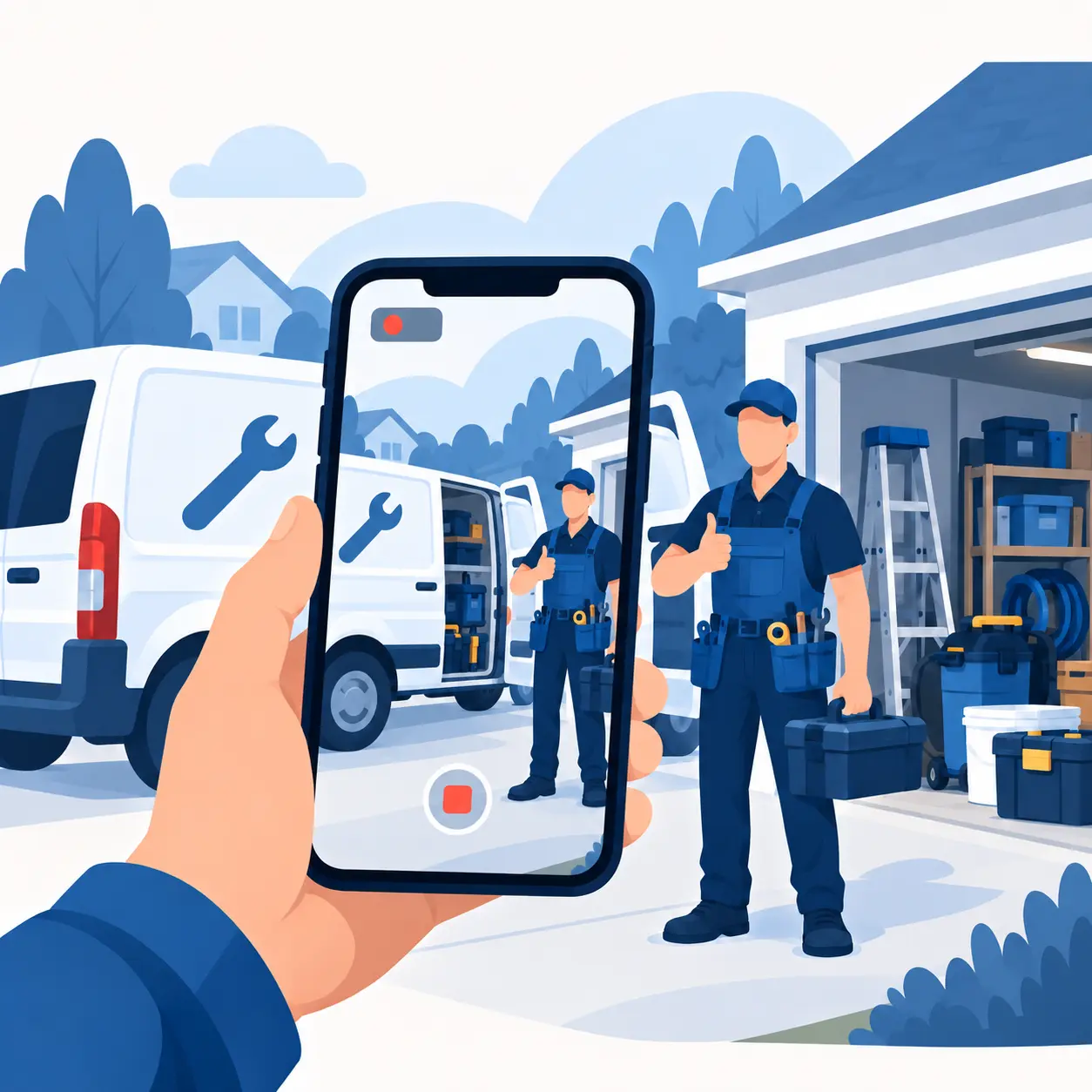
You can still complete video verification without having a traditional storefront.
For a service-area business, Google may ask you to show that:
- The business operates from the location you provided.
- You actually perform the work listed on the profile.
- You have authority to manage the business.
That could mean showing your tools, equipment, vehicle, work materials, the surrounding location, or other evidence that connects the business to its real operations.
Follow the instructions Google gives you for your profile. You don’t need to make the business look like a storefront if it isn’t one.
Can You Use Your Home Address for a Google Business Profile?
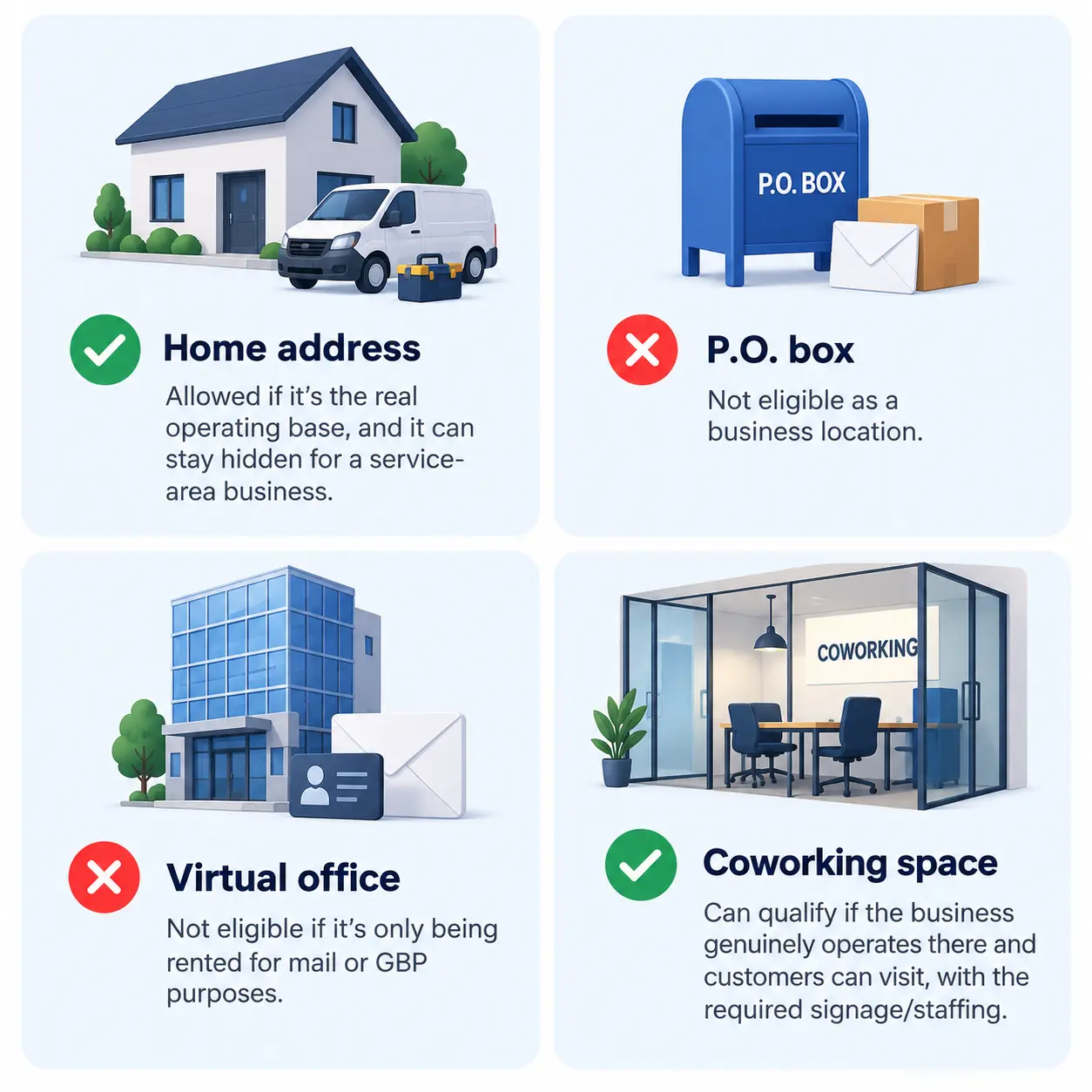
Yes. Your home can be the legitimate base of a service-area business.
For example, you might run an electrical business from home, store your equipment there, and head out to customers for every job. Nobody actually comes to your house for service, but that’s still where the business is based.
In that case, you can keep your home address off the public profile and show the areas you serve instead.
Can You Use a Virtual Address or P.O. Box for a Google Business Profile?
Now, what if you don’t want to use your home address at all?
A P.O. box or rented mailing address doesn’t count as a legitimate business location just because you can receive mail there.
The question is whether your business actually operates from that address.
P.O. Boxes
A P.O. box doesn’t qualify because it isn’t a location where your business actually operates.
Virtual Offices and Coworking Spaces
The same applies to a virtual office that exists mainly to give you a mailing address.
Coworking spaces are different. You can use one as a customer-facing location if your business genuinely operates there, customers can visit you there, and you meet Google’s requirements around signage and staffing.
If you’re only renting the address for mail or GBP purposes, it doesn’t count as a storefront.
If you run a home-based service-area business, use the real location the business operates from and keep it off the public profile.
How to Hide an Address That’s Already Showing on Your Google Business Profile
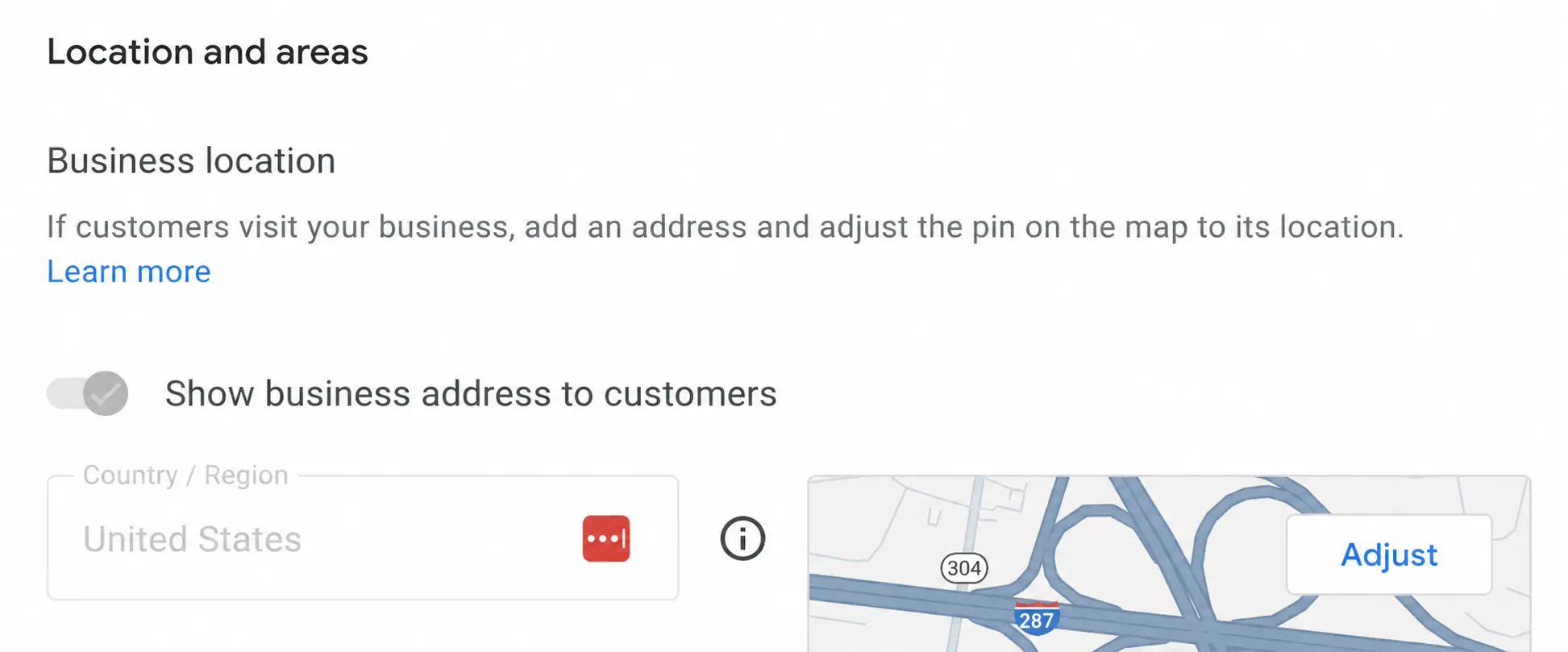
If you’ve already created the profile and your home or private address is showing, you don’t need to start over.
If you actually run a service-area business, edit the existing profile instead. Remove the public-facing address, add the areas you serve, and save the changes.
Once that’s done, check the public profile to make sure the address is no longer visible.
Will Your Business Still Appear on Google Maps Without an Address?
Yes. If you run an eligible service-area business, you can still appear on Google Search and Maps without displaying your street address.
Hiding your address doesn’t remove your profile. Customers can still find your business and see the information on it. They just won’t be directed to your private home or operating address.
Still unsure if your business qualifies?
Use our free GBP Eligibility Checker before creating or changing your profile.