
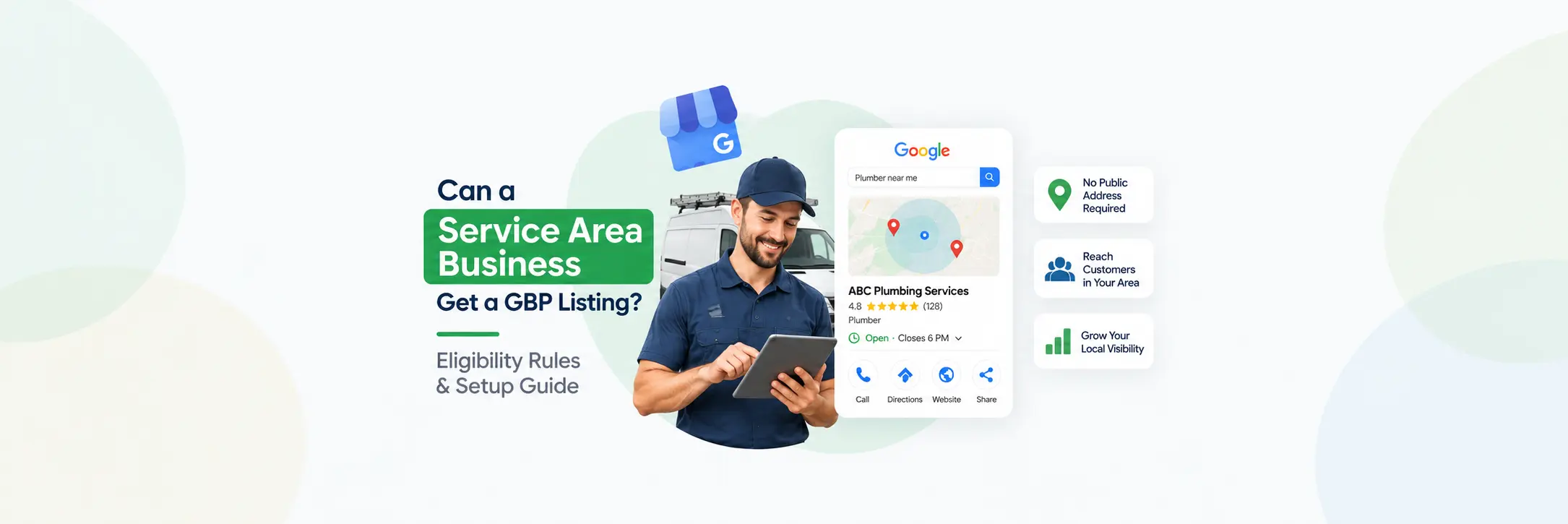

Can a Service Area Business Get a GBP Listing?
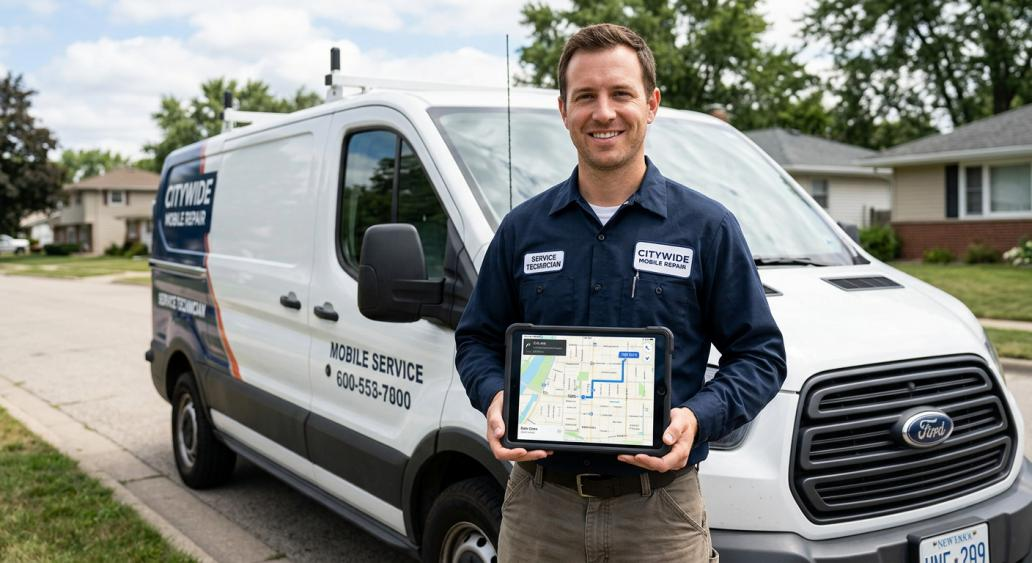
Short answer: Yes. An eligible service area business can have a Google Business Profile even without a storefront customers walk into. Plumbers, electricians, cleaners, and other businesses that travel to customers can qualify — but only if they meet Google’s eligibility requirements and have genuine, in-person contact with the people they serve. Wanting to show up in a certain city isn’t enough on its own. Google looks at how your business actually operates, not just where you’d like to rank.
If you’re weighing whether to set up a profile (or fix one that’s already causing problems), this guide walks through exactly what qualifies, how service areas work, when to hide your address, and the mistakes that get service area listings suspended.
What Is a Service Area Business?
A service area business is one that goes to the customer instead of the other way around. There’s no storefront with a sign out front and a door customers walk through — the work happens at the customer’s home, office, or job site.
Common examples include:
- Plumbers
- Electricians
- HVAC contractors
- Landscapers
- Cleaning companies
- Pest control companies
- Mobile mechanics
- Locksmiths
- Home repair contractors
- Appliance repair companies
- Mobile pet groomers
- Certain professional service providers who visit clients directly
Here’s the part that trips people up: advertising in multiple cities doesn’t automatically make you a service area business in Google’s eyes. What matters is whether you actually travel to customers and interact with them in person. A company that only takes orders online and ships a product, or one that never meets a client face to face, doesn’t fit this model no matter how many cities it lists on its website.
Can a Service Area Business Have a Google Business Profile?
Yes — with conditions. Eligible service area businesses can absolutely have a Google Business Profile, and a physical storefront is not a requirement. What is required:
- The business must meet Google’s current eligibility guidelines for local businesses.
- There must be legitimate, direct, in-person contact between the business and its customers.
- The profile has to accurately reflect how and where the business actually operates.
That last point matters more than most business owners realize. A profile that lists five states as a “service area” but only realistically serves two counties isn’t just misleading — it’s the kind of thing that draws scrutiny and eventually gets flagged. Eligibility isn’t about wanting local visibility somewhere; it’s about whether your real-world operations match what the profile says.
What Businesses Qualify as Service Area Businesses?
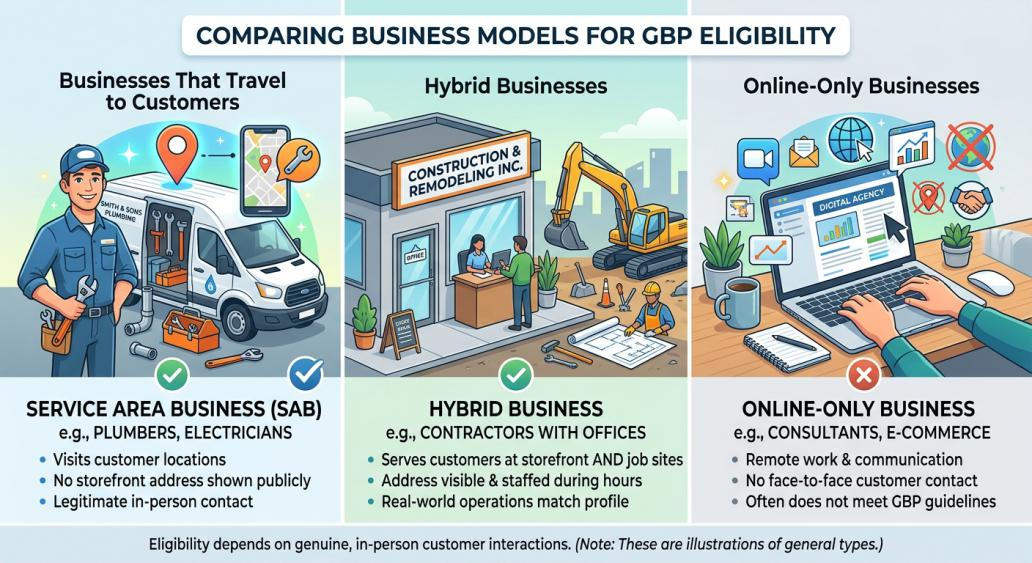
Not every business fits neatly into one bucket. Google generally recognizes three operating models, plus a category that doesn’t qualify at all.
Businesses That Travel to Customers
This is the classic service area business: plumbers, electricians, cleaners, landscapers, HVAC techs, and similar trades that show up at the customer’s location to do the work. There’s no public-facing office, so the business is set up with a hidden address and a defined service area instead. This is the most straightforward case, and it’s where the majority of service area GBP listings fall.
Businesses That Serve Customers at Both Locations
These are hybrid businesses — part storefront, part service area. Think of a contractor with an office customers can visit who also travels to job sites, a repair shop that services items on-site and welcomes walk-ins, or a professional who sees some clients at an office and drives to others. Hybrid businesses can show their storefront address publicly and also set a service area, as long as the storefront location is genuinely staffed and able to receive customers during its listed hours.
Businesses That Do Not Meet Customers in Person
Online-only consultants, e-commerce stores, remote freelancers, digital agencies, and businesses that only communicate by phone, email, or video generally don’t qualify — even if they serve clients in a specific city. Google Business Profile is built around local, in-person interaction. Simply wanting to rank in “near me” searches for a city you’ve never physically worked in isn’t a basis for eligibility.
To summarize where each model stands:
- Eligible: Businesses with legitimate in-person customer interaction, whether at a storefront or the customer’s location.
- Potentially eligible: Hybrid businesses and home-based businesses, where eligibility depends on the specific setup and whether the business location is genuinely staffed and operational.
- Generally not eligible: Online-only businesses with no face-to-face customer contact.
Does a Service Area Business Need a Physical Address?
It needs a legitimate one for Google’s records — it just doesn’t have to display it publicly.
These are four different things, and mixing them up is where a lot of setup mistakes start:
- Having a legitimate business location. This could be a home office, a warehouse, or a small operational base. It has to be a real place your business operates from.
- Displaying an address publicly. This is optional for a true service area business and generally shouldn’t be shown if customers don’t visit that location.
- Operating as a service area business. This is about how you actually serve customers — traveling to them rather than having them come to you.
- Using a fake or virtual location. This is not acceptable under any circumstances and is one of the fastest ways to get a profile suspended.
A plumber working out of a home office still needs a real address on file for Google’s verification process. That address simply doesn’t need to appear on the public listing. What a business can’t do is invent a location, rent a mailbox, or use a co-working address it doesn’t actually operate out of, just to look more “local.”
Can a Service Area Business Hide Its Address on Google?
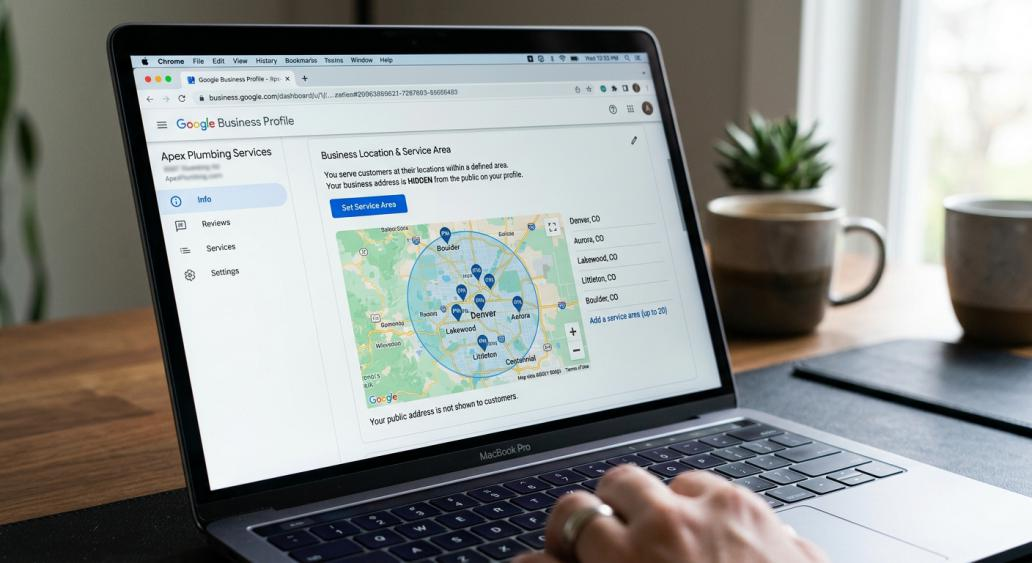
Yes — and for most service area businesses, this is exactly what Google expects. If you don’t serve customers at your business address, that address should be removed from public view on your profile. This is different from having no legitimate address at all.
A few distinctions worth understanding:
- Hiding an address means your business still has a real, verifiable location, but it isn’t shown to the public because customers don’t visit it.
- Using an invalid address means the location itself isn’t legitimate — a PO box, a rented mailing address you don’t operate from, or an address that has nothing to do with your actual business.
Customers can still find a service area business without a visible street address. Google relies on your defined service area, category, and business information to surface your listing in relevant local searches. Reviews, business description, phone number, and consistent categories all contribute to discoverability — the public address isn’t the only signal at play.
How Do Service Areas Work on Google Business Profile?
A service area tells Google (and searchers) where your business actually provides its services. Rather than a single pin on the map, it’s a defined set of cities, ZIP codes, or regions.
A few practical points:
- You can list up to 20 service areas.
- Areas are defined by city, postal code, or region — not by a radius around your address.
- Google’s guidance is that your overall service area generally shouldn’t extend much beyond about a two-hour drive from where your business is based, though this can vary for certain business types.
- Service areas should reflect where you genuinely do business, not where you’d like to rank.
It’s tempting to add every city within driving distance to try to capture more searches, but padding your service area with locations you rarely or never serve creates a mismatch between what your profile says and how your business actually operates. That’s a quality problem, not a shortcut to more visibility. Your service area is meant to describe reality, not function as a keyword list.
How to Set Up a Google Business Profile for a Service Area Business
The exact screens in Google’s interface change from time to time, but the underlying process holds steady. If you’d rather not handle setting up a new Google Business Profile on your own, that’s also an option — but the fundamentals below apply either way:
- Determine eligibility first. Confirm your business has genuine in-person customer interaction and meets Google’s guidelines before you start.
- Check for an existing profile. Google sometimes auto-generates listings from other data sources. Search for your business before creating a new one to avoid duplicates.
- Choose the correct category. Pick the category that best describes what your business is, not a list of everything it offers.
- Enter accurate business information. Name, phone number, and website should match how your business is actually represented in the real world.
- Decide whether your address should be displayed. If customers don’t visit your location, it should stay hidden.
- Configure your service area accurately. List the cities or regions you genuinely serve.
- Complete verification. Google chooses the method — postcard, phone, email, or video — based on your business type and information.
- Review everything before publishing. Double-check your category, service area, and contact details for accuracy.
- Keep the profile updated. Hours, service areas, and contact information should reflect your business as it changes over time.
Service Area Business vs. Storefront Business
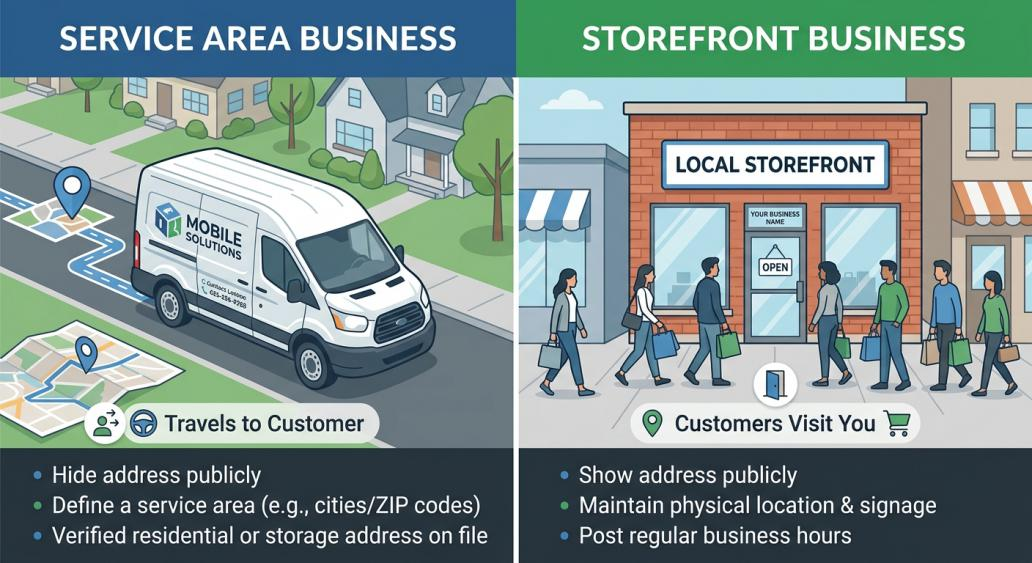
| Factor | Service Area Business | Storefront Business |
| Customer interaction | Business travels to the customer | Customer visits the business |
| Address visibility | Typically hidden | Publicly displayed |
| Service area | Defined by cities, ZIPs, or regions | Not usually needed |
| Customer visits to location | Generally none | Yes, during posted hours |
| Typical examples | Plumbers, cleaners, mobile mechanics | Retail shops, restaurants, salons |
| GBP setup considerations | Hide address, set service area, verify a real (non-public) location | Show address, set hours, maintain visible signage |
Common Google Business Profile Mistakes Service Area Businesses Make
- Using a PO box instead of a legitimate business location. PO boxes aren’t accepted as a business address for verification.
- Using a virtual office that doesn’t meet Google’s requirements. If the business doesn’t operate out of that space, it’s not eligible.
- Creating a profile for an online-only business. Without in-person customer interaction, there’s no basis for eligibility.
- Displaying a residential address when customers aren’t served there. This exposes personal information unnecessarily and misrepresents the business.
- Using a fake address to target another city. This directly violates Google’s guidelines and risks suspension.
- Adding excessive or inaccurate service areas. Listing regions you don’t actually serve creates a mismatch Google can flag.
- Creating duplicate GBP listings. Multiple profiles for the same business confuse both customers and Google’s systems.
- Choosing an inaccurate primary category. This affects how — and whether — your business shows up in relevant searches.
- Adding city names to the business name. Unless that’s genuinely part of your real-world business name, it isn’t permitted.
- Creating separate profiles for every city served. Service area businesses generally get one profile for their entire service area, not one per city.
- Providing misleading business information. Inconsistent hours, phone numbers, or categories erode trust with both customers and Google.
- Ignoring verification or eligibility issues. Unresolved problems tend to compound and delay a profile going live.
- Failing to update outdated service areas. A profile should reflect where the business currently operates, not where it used to.
- Assuming a city listing requires a physical address there. Service area businesses can appear in local searches without a public address in every city they serve.
Each of these can create real problems — from a delayed or failed verification to an outright suspension — because they all point back to the same issue: the profile no longer accurately represents the business. If your listing has already been suspended over one of these issues, recovering a suspended listing generally means fixing the underlying problem first, then working through Google’s reinstatement process.
Can a Service Area Business Rank on Google Maps?
It can appear in Google Maps and local search results, yes — but there’s no guarantee of ranking in any particular position or city. Google’s local ranking is generally shaped by:
- Relevance — how well your profile matches what someone searched for
- Distance — how close your service area is to the searcher’s location
- Prominence — how well-known and well-reviewed your business is, both on and off Google
Beyond those three factors, accurate business information, a properly configured service area, and consistent customer reviews all play a role in visibility. Having a Google Business Profile is a foundation, not a guarantee. A service area business with an accurate, well-maintained profile has a realistic shot at showing up in relevant local searches — but no setup, tool, or checklist can promise a specific ranking or Maps placement. For businesses that want ongoing help improving visibility beyond the initial listing, a broader local SEO strategy typically covers reviews, citations, and content in addition to the profile itself.
Can a Service Area Business Have Multiple Google Business Profiles?
Generally, no — and this is one of the most common misconceptions. A service area business is typically eligible for just one profile covering its entire service area, not one listing per city or neighborhood.
There’s a narrow exception: businesses with genuinely separate locations, each with its own staff and a non-overlapping service area, may be eligible for multiple profiles — one per location. But creating extra listings simply to target different cities, or to try to capture more map real estate, isn’t a legitimate use case. It typically results in duplicate listings, which split reviews, confuse customers, and can trigger suspensions across the board.
How to Check If Your Service Area Business Is Eligible

Given how many factors go into eligibility — business type, customer interaction, address situation, existing listings, and service area setup — it’s worth checking before you invest time creating or changing a profile. A quick eligibility check can flag issues like an ineligible address, an existing duplicate listing, or a business model that doesn’t currently meet Google’s requirements, before they turn into a rejected or suspended listing.
Not sure whether your service area business qualifies for a Google Business Profile? Use Search Berg’s Google Business Profile eligibility checker to check your eligibility before investing time in setting up or changing your profile.
Answer 5 quick questions — get your instant eligibility report & free consultation
This determines your GBP listing format and verification method.
Service Area Business GBP Eligibility: Quick Checklist
- My business has legitimate in-person contact with customers
- My business provides services at customers’ locations or otherwise meets Google’s eligibility requirements
- My business information is accurate and consistent everywhere it appears
- I am not relying on a PO box or a misleading address
- I am not using a fake location to target another city
- My service area accurately represents where I actually provide services
- I have checked whether an existing GBP already represents my business
- My business category accurately represents my services
- I am not creating duplicate profiles for individual service areas
- I understand whether my address should be displayed or hidden
Frequently Asked Questions
Can a service area business have a Google Business Profile?
Yes, as long as it meets Google’s eligibility guidelines and has legitimate in-person contact with customers, even without a storefront.
Does a service area business need a physical address?
It needs a real, verifiable address on file for Google, but that address doesn’t need to be shown publicly if customers aren’t served there.
Can I hide my address on Google Business Profile?
Yes, if you don’t serve customers at that location. This is standard practice for most service area businesses.
Can a mobile business appear on Google Maps?
Yes. An eligible mobile or service area business can appear in Maps and local search results based on its service area and business information.
How do I add a service area to Google Business Profile?
Within your profile’s location settings, you can specify up to 20 service areas by city, ZIP code, or region.
Can I list multiple cities as my service area?
Yes, as long as those cities reflect places you genuinely serve, generally within about a two-hour drive of your business base.
Can I create a GBP for every city I serve?
No. Service area businesses are typically limited to one profile covering their full service area, not separate listings per city.
Can an online-only business have a service area GBP?
Generally not. Without direct in-person customer interaction, an online-only business doesn’t meet Google’s eligibility requirements.
Can I use a PO box for a service area business?
No. PO boxes and similar remote mailboxes aren’t accepted as a business address for Google Business Profile.
Can a service area business rank on Google Maps?
It can appear in Maps results, but ranking depends on relevance, distance, and prominence — there’s no guarantee tied to simply having a profile.
How can I check my Google Business Profile eligibility?
You can review Google’s official guidelines directly, or use a tool like Search Berg’s GBP eligibility tool to check your specific situation before creating or editing a profile.
Final Thoughts
A legitimate service area business can qualify for a Google Business Profile even without a customer-facing storefront. What determines eligibility isn’t ambition or geography — it’s the nature of the business, genuine in-person customer interaction, and compliance with Google’s current guidelines.
The businesses that run into trouble are usually the ones cutting corners: a fake address, a virtual office, a service area padded with cities they don’t actually serve, or duplicate listings created to chase more map visibility. None of that holds up, and it tends to cost more time than doing it right the first time.
If you’re still not sure where your business stands, check your Google Business Profile eligibility before you set up or modify a listing — it’s a lot easier to fix a setup issue upfront than to recover from a suspension later.