



Why Your Google Business Profile Not Showing Up in Search (and Fixes)
Your Google Business Profile not showing up in search can feel like a nightmare for any local business. After all, your profile is often the first impression potential customers get when looking for your services. If it isn’t visible, you risk losing credibility, leads, and revenue to competitors who are more discoverable.
Most visibility issues come down to a handful of common problems that can be solved with the right strategy. Let’s break down why your profile might be missing and, more importantly, how to fix it.
Why Your Google Business Profile May Not Be Showing Up
First, it is important to understand that not every business qualifies for a Google Business Profile. Eligible businesses and their representatives must meet Google’s criteria and follow its business eligibility and ownership guidelines.
Other visibility issues typically fall into a few categories. Understanding them is the first step toward getting your profile back on track.
1. Verification Problems
Google requires all businesses to verify ownership of their profile. If your verification is incomplete, your listing won’t appear in search or Google Maps.
2. Suspended or Disabled Profile
Violating Google’s guidelines for representing your business can lead to a suspension. This often happens when businesses use inaccurate information, engage in spammy practices, or list prohibited content.
3. Inconsistent NAP (Name, Address, Phone)
Google’s algorithm checks for consistency across all online references. If your business details differ between your website, directories, and Google Business Profile, your visibility can suffer.
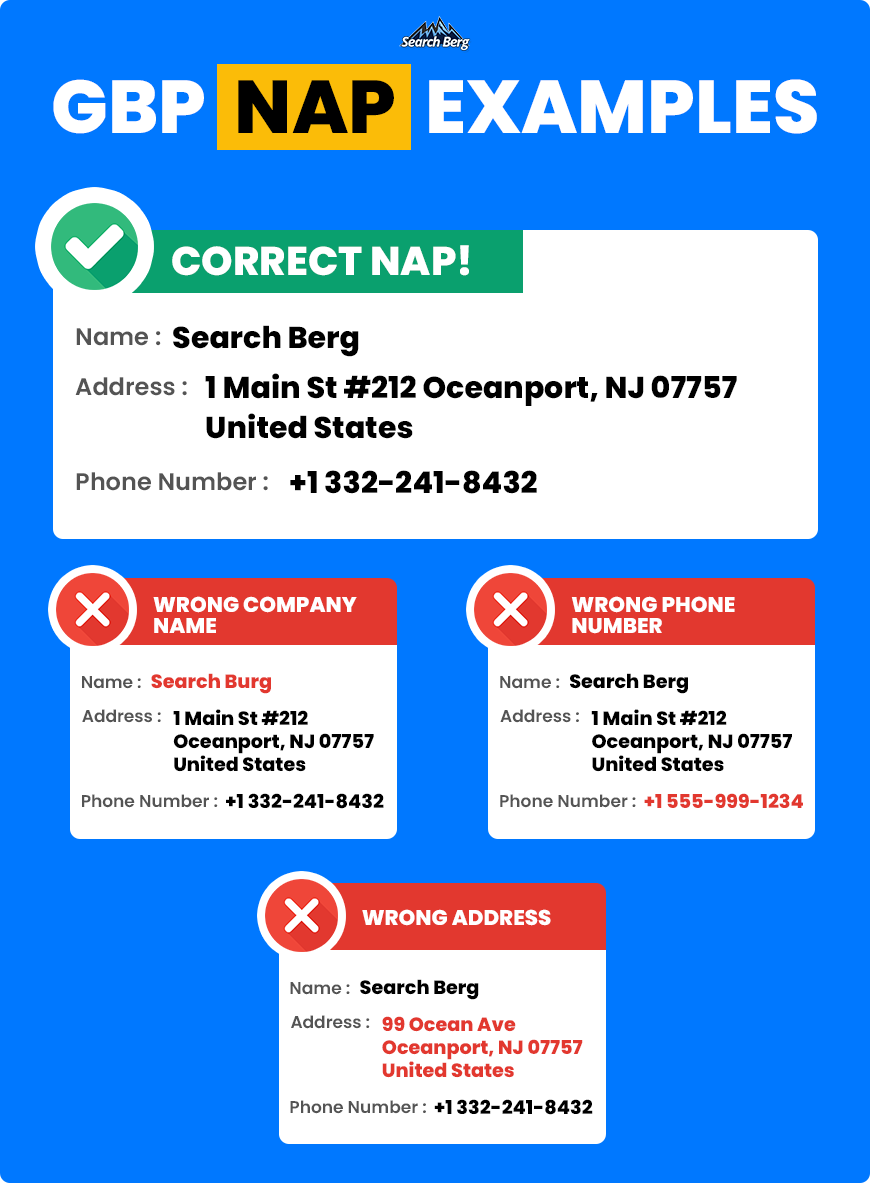
Heading: GBP NAP Examples
Filename: GBP-business-NAP-graphic
Alt-text: A graphic showcasing good and bad NAP examples.
4. Incorrect Business Category or Keywords
If your profile doesn’t accurately reflect what you do, it may not rank for the searches you’re targeting. Choosing the wrong category or failing to optimize your description can hold you back.
5. Lack of Activity or Updates
Inactive profiles tend to rank lower. A bare profile with no posts, updates, or recent customer reviews signals to Google that it’s not being managed.
6. Location and Service Area Issues
If your address is missing, unverified, or conflicts with your stated service area, your profile may not show in local results.
How to Fix a Google Business Profile Not Showing Up
Once you’ve identified the issue, these practical steps can help you restore visibility.
1. Complete and Confirm Verification
Log into your Google Business Profile dashboard and make sure your profile is fully verified. Depending on your setup, Google may require a postcard, phone call, or video verification. Without this step, your listing won’t appear.
2. Resolve Suspensions Quickly
If your profile is suspended, Google will usually notify you by email. Review the suspension notice, fix the violation, and submit a reinstatement request through the Help Center. This might involve correcting inaccurate information, removing prohibited content, or proving your business address with utility bills or lease agreements.
3. Ensure NAP Consistency Across the Web
Check that your business name, address, and phone number are identical across your website, directories, and Google Business Profile. Even small inconsistencies—like “St.” vs. “Street”—can cause issues. Tools like Moz Local or manual audits can help spot discrepancies.
4. Optimize Categories and Business Information
- Choose the most accurate primary category for your business.
- Add relevant secondary categories to broaden search reach.
- Use your business description to include relevant keywords naturally, reflecting what customers actually search for.
5. Keep Your Profile Active
Treat your profile like a mini-website. Post updates and add photos regulalrly. Even simple posts like holiday hours or new product announcements show Google that your business is active and relevant.
6. Request and Respond to Reviews
Encourage happy customers to leave reviews. Fresh, genuine reviews boost your profile’s authority and visibility. Always respond to reviews, both positive and negative, to show engagement.
7. Fix Location and Service Area Settings
- Double-check that your address matches your official business location.
- For service-area businesses (like plumbers or cleaners), set the correct areas you serve.
- If you moved locations recently, update the profile immediately to avoid confusion.
Best Practices for Long-Term Google Business Profile Visibility
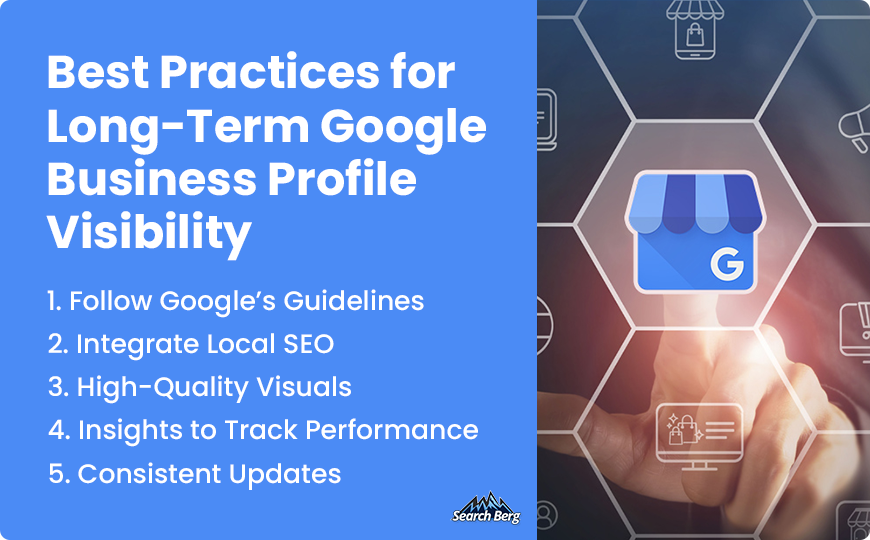
Fixing your profile is just the beginning. These best practices will help ensure your Google Business Profile not showing up in search doesn’t become a recurring issue.
1. Align with Google’s Guidelines
Regularly review Google’s Business Profile guidelines. Avoid prohibited content, fake reviews, or misleading information, as violations can result in suspensions that damage your credibility.
2. Integrate Local SEO Efforts
Your Google Business Profile works best when paired with strong local SEO. Ensure your website is optimized with local keywords, schema markup, and location-based landing pages. Link your website to your GBP for better authority.
3. Add High-Quality Visuals
Photos and videos make your listing stand out. Businesses with visuals receive more clicks and customer actions. Update your gallery with images of your storefront, staff, or products to build trust.
4. Use Insights to Track Performance
The Insights tab in your dashboard shows how customers find and interact with your profile. Use this data to refine your strategy—such as focusing on the keywords or categories that drive the most clicks.
5. Stay Consistent with Updates
Keep your hours, contact details, and services up to date. Seasonal businesses should adjust hours as needed, and all businesses should review their information at least once a quarter.
Conclusion
Having your Google Business Profile not showing up in search is frustrating, but it’s rarely permanent. By verifying your account, correcting inconsistencies, optimizing your categories, and actively maintaining your profile, you can quickly regain visibility. Pairing these fixes with long-term best practices will strengthen your local SEO presence and keep your business competitive in Google search results.
If you’re struggling to troubleshoot your profile or need expert help implementing a local SEO strategy, Search Berg can guide you every step of the way. Our team specializes in optimizing Google Business Profiles to drive visibility, credibility, and consistent leads.
FAQs
Q1: How long does it take for changes to show up on my Google Business Profile?
Most updates take 24–72 hours, though some changes (like reviews or reinstatements after suspension) may take longer depending on Google’s review process.
Q2: Why is my Google Business Profile verified but still not showing?
Even after verification, issues like inconsistent NAP details, incorrect categories, or inactivity can prevent visibility. Double-check all information and ensure the profile remains active.
Q3: Can duplicate profiles affect visibility?
Yes. Duplicate listings confuse Google’s algorithm and may cause your profile to be suppressed. Remove or merge duplicates through your GBP dashboard.
Q4: How important are reviews for visibility?
Reviews are a critical ranking factor. A steady stream of genuine, positive reviews improves both your credibility and your profile’s chance of appearing in search results.
Q5: Can suspension be permanent?
Most suspensions are temporary and can be resolved by fixing violations. However, repeated or severe violations may lead to permanent removal. If you have been struggling with suspensions, a partner like Search Berg can optimize your Google Business Profile with advanced strategies that drive real visibility.
Dominate Google Local Search
Want insider strategies to keep your Google Business Profile ranking high? Subscribe to get expert tips delivered straight to your inbox
No spam, just expert advice!